If you are running a Shopify store that sells custom merchandise, branded apparel, promotional products, or print-on-demand items, you already know one thing: Shopify’s default product system is not enough.
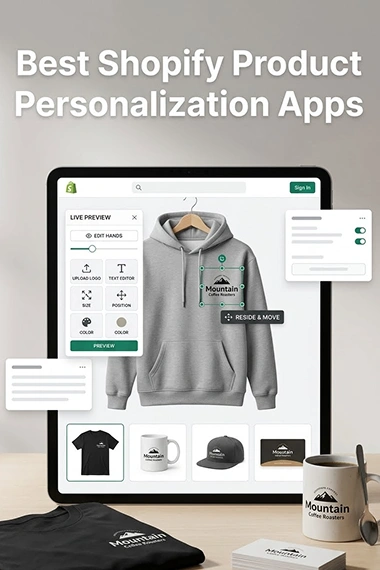
A customer who wants to order a custom t-shirt, hoodie, mug, cap, or business card does not just want to pick a size and color. They want to upload their logo, see it placed on the product in real time, adjust the size and position, add text, and place an order with confidence that the final product will look exactly like the preview. That entire experience requires a dedicated Shopify product personalization app, and not every app handles this the same way.
This guide breaks down the best Shopify apps for product personalization and live logo upload in 2026, organized by use case, with a comparison table and a final recommendation section to help you choose the right solution for your specific business.
Why Shopify Needs a Third-Party Personalization App
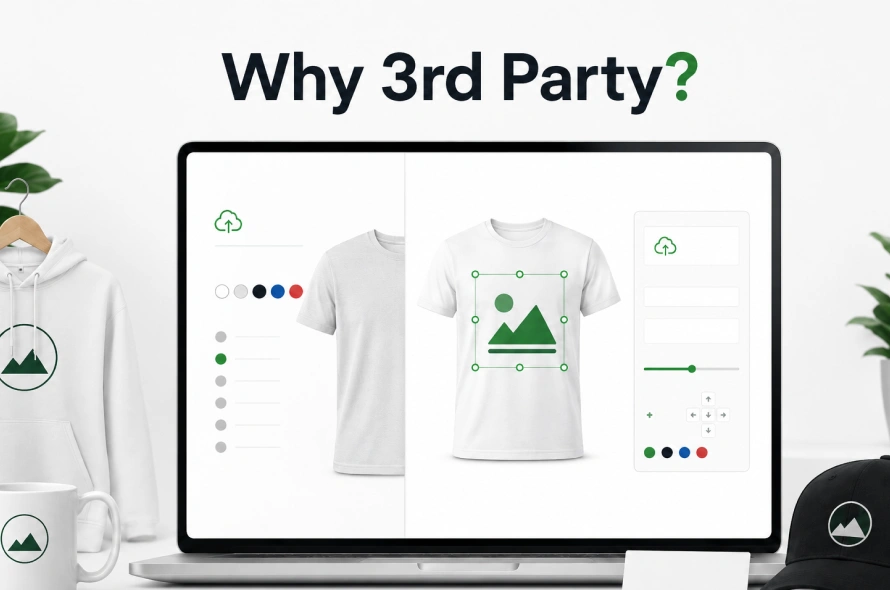
Shopify’s native product system supports up to 100 variants and three product options per product. That is more than enough for a store selling fixed products in different sizes and colors.
But the moment a customer needs to upload a logo, add text in a custom font, see a live preview on the product, or trigger dynamic pricing based on customization selections, Shopify’s default setup hits a hard wall.
Shopify product customizer apps extend Shopify’s default product option system and help merchants create a smoother, more interactive buying experience without custom coding.
And the commercial case is clear: data from Shopify merchants consistently shows roughly 20 to 30% higher average order values (AOV) for customized products.
For promotional product businesses, print shops, embroidery studios, and branded merchandise stores, the stakes are even higher. Vector file support, print-ready file generation, and proof approval workflows are not features you can improvise. They need the right app from the start.
Before Choosing an App: Ask These Questions First
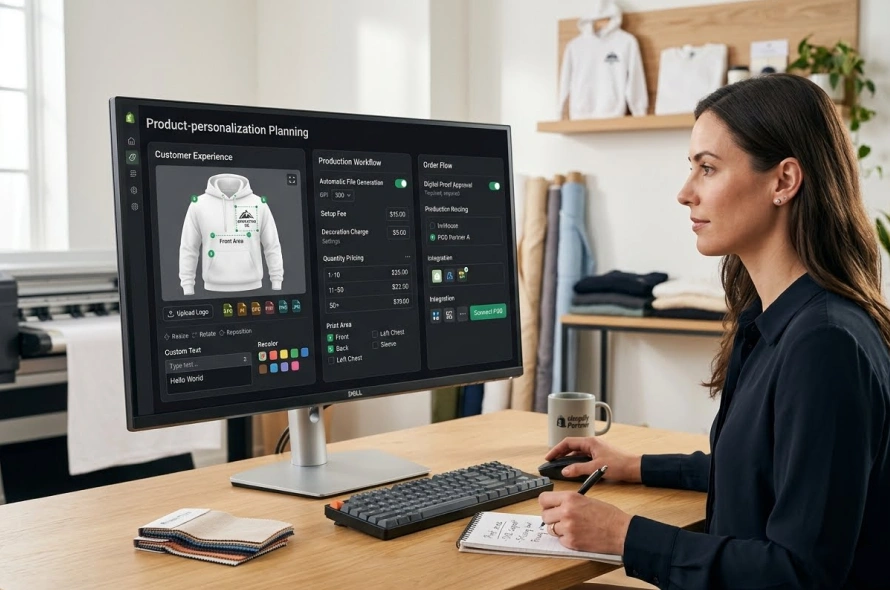
The single biggest mistake Shopify merchants make is installing an app before defining their requirements. There are dozens of Shopify product personalization apps available on shopify appstore, and they are not interchangeable. Before comparing any options, answer the following questions about your store:
About the customer experience:
- Does the customer need live preview while customizing, or is a simple file upload sufficient?
- Do they need to resize, reposition, rotate, or recolor their uploaded logo?
- Do they need to add text with custom fonts and colors?
- Do you need to accept vector files such as SVG, AI, EPS, or PDF for high-quality print output, or is PNG and JPG enough for your production process?
About your production workflow:
- Do you need print-ready files generated automatically from customer orders?
- Do you need setup fees, decoration charges, or quantity-based pricing calculated during customization?
- Do you need separate print areas for front, back, sleeve, or left chest?
About order flow:
- Do customers need to approve a digital proof before the order goes to production?
- Do orders need to route to a print-on-demand partner like Printful, Printify, or Gelato, or to your own production team?
Once these questions are answered, choosing the right Shopify product personalization app becomes straightforward instead of overwhelming.
App Categories: Not Every App Does the Same Thing
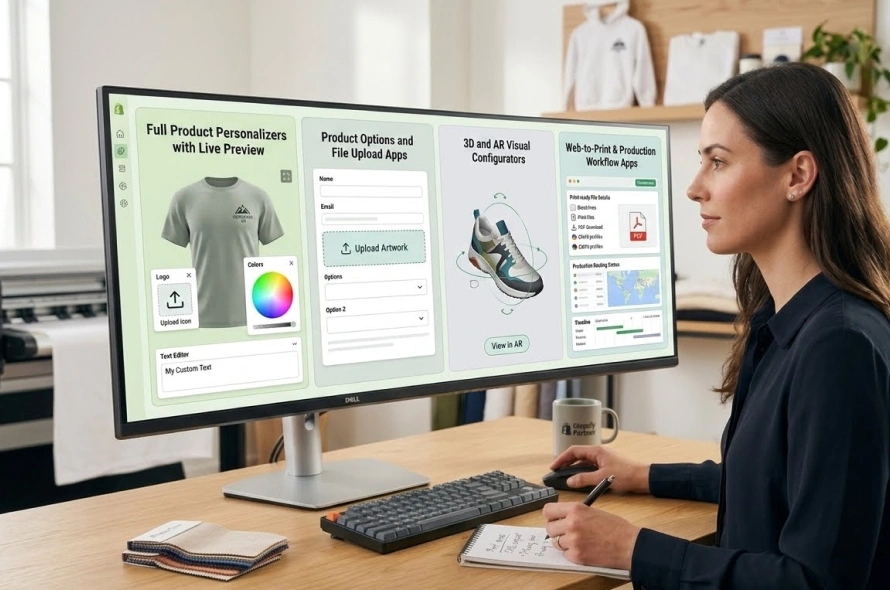
Shopify apps for product personalization fall into four distinct categories. Understanding which category you need is more important than comparing feature lists.
Category 1: Full Product Personalizers with Live Preview
These apps provide a complete front-end customization experience. Customers see real-time changes on the product image as they upload logos, type text, and select options. This is the category most promotional products and custom print businesses need.
Category 2: Product Options and File Upload Apps
These apps add custom fields, file upload buttons, and conditional logic to product pages but do not provide a live visual preview. They are suitable when you only need to collect customer artwork or instructions without showing a real-time mock-up.
Category 3: 3D and AR Visual Configurators
These apps add 3D rotation, augmented reality, and advanced multi-component product building. They are best for high-ticket items like custom furniture, footwear, or complex assembled products where the visual experience is the selling point.
Category 4: Web-to-Print and Production Workflow Apps
These apps go beyond the customer-facing experience and connect the design tool to a production workflow, generating print-ready files, managing color profiles, applying bleed and cut marks, and routing jobs to production or a print-on-demand partner.
Best Shopify Product Personalization Apps in 2026
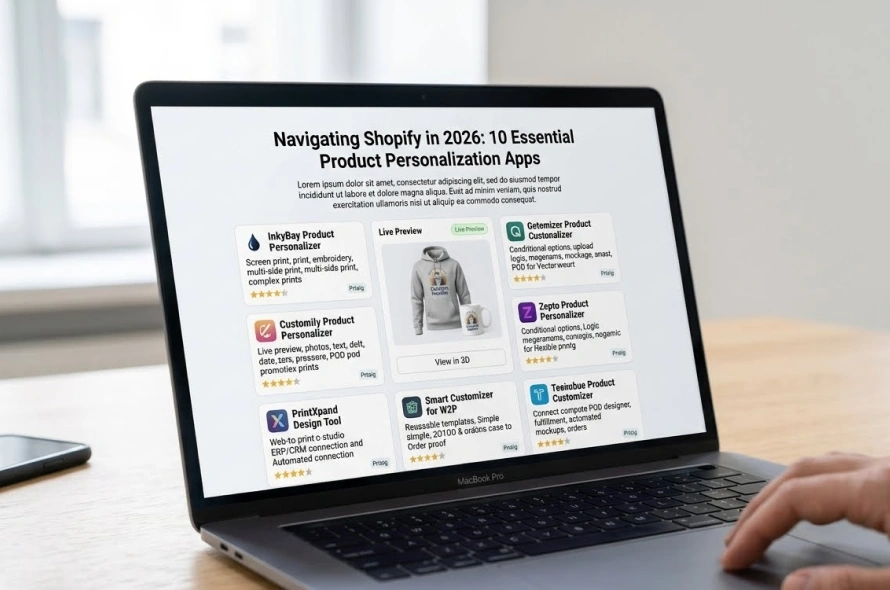
1. InkyBay Product Personalizer
Best for: Promotional products, screen print, DTG, sublimation, embroidery businesses
InkyBay supports all types of printing methods including screen print, DTG, and sublimation. It offers advanced inventory choices and quantity discount features without requiring third-party applications. The app includes real-time product visualization, an extensive font and clipart library, and print-ready file output in JPG, PNG, SVG, and PDF formats.
What makes InkyBay particularly relevant for promotional product businesses is its pricing flexibility. Admins can set up customization pricing based on decoration method, number of print colors, quantity ranges, design size, setup fees, and per-square-inch pricing, all from the backend without custom code.
Key features:
Live preview, quantity-based pricing, setup fee configuration, multi-side print areas, print-ready vector output, all major decoration methods supported
Pricing: Starter at $19.99/month, Advance at $49.99/month, Professional at $99.99/month, Unlimited at $249.99/month (0% commission on all plans)
2. Customily Product Personalizer
Best for: POD stores, personalized gifts, custom apparel, home decor
Customily lets shoppers personalize products with text, images, crosswords, maps, and clipart, and boosts conversions by showing a live preview before they buy. It connects with leading print-on-demand providers or automates fulfillment with production-ready files.
Customily is especially strong for gift-focused personalization where customers enter names, dates, photos, or messages. Its AI-powered background removal tool makes logo and photo uploads cleaner automatically.
Key features: Live real-time preview, text and photo personalization, clipart library, POD integrations (Printful, Printify, Gelato), print-ready file generation, multi-platform support
Pricing: $49/month per platform plus transaction fees; 9-day free trial available
3. Zakeke Customizer 2D and 3D
Best for: Premium brands, complex product visualization, 3D and AR preview
Zakeke allows customers to edit text, upload images, change colors, and personalize elements live with changes reflected instantly. It automatically generates and sends high-resolution files to a printer or supplier once a customer confirms their order. Zakeke also offers 3D product rotation and augmented reality preview, making it one of the most visually advanced options on this list.
Key features: 2D and 3D live preview, AR try-on, real-time customization, print-ready export, multi-language and multi-currency support
Pricing: Plans vary; free trial available
4. Zepto Product Personalizer
Best for: Stores needing flexible options with live preview and dynamic pricing
Zepto allows customers to personalize products with image and color swatches, dropdown menus, buttons, text and monogram inputs, custom fonts and color selections, and upload fields. Conditional logic and dynamic pricing create a complete product-building experience.
Zepto sits in a useful middle ground between a full visual customizer and a product options app. It handles conditional logic well, meaning certain options can appear or disappear based on what the customer selects, and pricing can update dynamically based on the combination chosen.
Key features: Live preview, conditional logic, dynamic pricing, image upload, monogram support, color and font selection, multi-component product building
Pricing: Starter at $9.99/month; plans scale with order volume
5. Qstomizer Product Customizer
Best for: T-shirts, mugs, phone cases, business cards, POD items with vector import needs
Qstomizer is a live product customizer and personalizer for Shopify that lets customers design custom products directly on the store with real-time preview, image upload, text personalization, color and font options, and bulk pricing. Notably, Qstomizer supports importing design files in PDF, PSD, CDR, EPS, and AI formats, which is useful for promotional product stores where suppliers or clients send vector artwork files.
Key features: Live preview, vector file format import (PDF, EPS, AI, CDR, PSD), image filters, bulk pricing, custom templates, language translator for text fields
Pricing: Basic at $9.99/month, Advanced at $19.99/month, Professional at $29.99/month; 7-day free trial.
6. PrintXpand Design Tool
Best for: Web-to-print businesses, promotional product stores, packaging, complex print workflows
PrintXpand is an AI-powered product design tool for Shopify that syncs products, collections, designer orders, and customer data in real time, and integrates with ERP, CRM, or legacy systems. It is more of a web-to-print platform than a standard Shopify app, making it relevant for businesses that need production workflow integration alongside front-end customization.
Key features: Live preview, dynamic pricing, print-ready file generation, product and collection sync, ERP and CRM integration, AI-powered design tools
Pricing: Custom pricing based on store requirements
7. Fancy Product Designer
Best for: Apparel, phone cases, branded merchandise, multi-print-area products
Fancy Product Designer provides a visual design studio where customers can add text, upload images and logos, apply colors, and see live previews. It supports 3D previews, AI-powered tools, and print-ready export with color profile support. The app allows admin-defined safe areas and print boundaries to keep customer designs within correct print zones.
Key features: Live 2D and 3D preview, AI tools, image and logo upload, text personalization, print-ready export, safe area and bleed setup, color profiles
Pricing: Plans start at $19/month
8. Kickflip Product Configurator
Best for: Complex multi-component products, visual product builders, configurable kits
Kickflip Product Personalizer offers a comprehensive custom product builder for Shopify with real-time previews. Customers can customize product designs and components, as well as share their finished designs on social media. Kickflip is more of a product configurator than a personalizer, making it the right choice when customers are assembling a product from parts rather than decorating a finished item.
Key features: Real-time preview, multi-component configuration, unlimited options, conditional logic, design sharing, order analytics
Pricing: Starts at $0 (free tier available), scales by order volume
9. Smart Customizer for W2P
Best for: Web-to-print stores needing 2D/3D preview and dynamic pricing without heavy setup
Smart Customizer allows customers to preview their personalized products in 2D or 3D, enables dynamic pricing based on custom options and variations, generates print-ready files in PDF, PNG, or SVG formats, and supports pre-made product templates.
Key features: 2D and 3D preview, dynamic pricing, print-ready PDF/PNG/SVG output, product templates, custom graphic asset upload for reusable templates
Pricing: Paid plans from around $19.99/month; free trial available
10. Teeinblue Product Personalizer
Best for: POD apparel, personalized home goods, automated fulfillment workflows
Teeinblue lets customers add names, messages, photos, or dates directly onto products with live previews. It automatically generates and routes production files to providers like Printify or Gelato and pushes completed designs straight to fulfillment partners without manual intervention.
Key features: Live preview, text and photo personalization, POD integration, pre-built templates, multi-language support, order auto-sync to fulfillment partners
Pricing: From $19/month plus a percentage fee per product sale after the first 50 orders.
Comparison Table
| App | Live Preview | Vector/Logo Upload | Print-Ready Files | Dynamic Pricing | Promo Product Fit | Setup Complexity |
| InkyBay | Yes | Yes (SVG, JPG, PNG, PDF) | Yes (SVG, PDF, PNG, JPG) | Yes (full setup fee + decoration pricing) | Excellent | Medium |
| Customily | Yes | Yes (photos, logos) | Yes (POD-ready) | Limited | Good (POD focus) | Low |
| Zakeke | Yes (2D + 3D + AR) | Yes | Yes | Moderate | Moderate | Medium |
| Zepto | Yes | Yes (images) | No | Yes (dynamic pricing) | Moderate | Low–Medium |
| Qstomizer | Yes | Yes (AI, EPS, PDF, CDR) | Yes | Yes (bulk pricing) | Good | Low–Medium |
| PrintXpand | Yes | Yes | Yes | Yes | Excellent | High |
| Fancy Product Designer | Yes (2D + 3D) | Yes | Yes | Moderate | Good | Medium |
| Kickflip | Yes | Yes | No | Yes | Low–Moderate | Medium |
| Smart Customizer | Yes (2D + 3D) | Yes | Yes (PDF, PNG, SVG) | Yes | Good | Low–Medium |
| Teeinblue | Yes | Yes (photos) | Yes (POD) | Limited | Low (POD focus) | Low |
Final Recommendation By Use Case: What Product Customizer App You Should Use
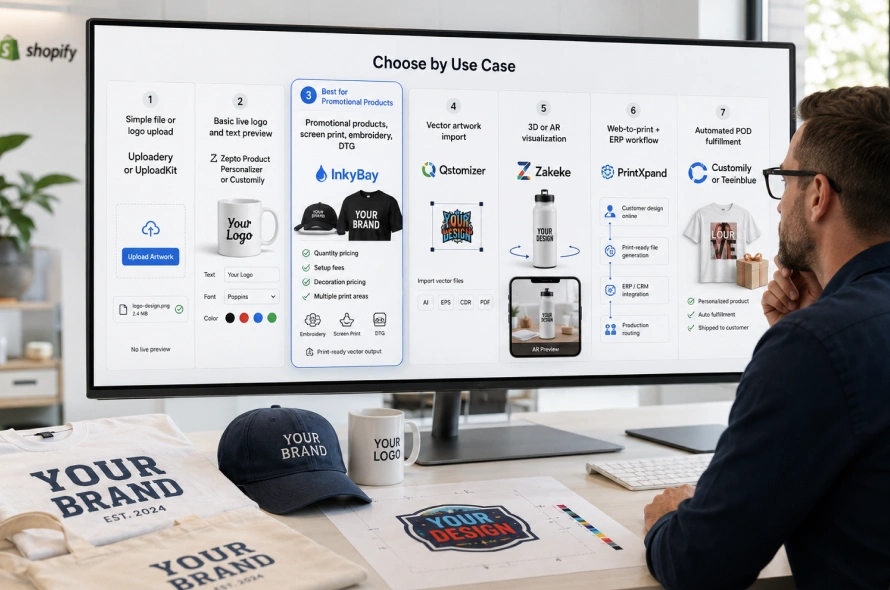
If you only need logo/file upload without live preview, A dedicated file upload app like Uploadery or UploadKit handles this without the complexity or cost of a full personalizer. These apps attach uploaded files to the Shopify order for your team to review, without any front-end preview experience.
If you need live preview with basic logo and text customization, Zepto Product Personalizer or Customily are the most practical starting points. Both are relatively quick to set up, offer solid live preview experiences, and handle the most common personalization workflows without enterprise-level complexity.
If you run a promotional products, screen print, embroidery, or DTG business, InkyBay is the most complete solution for this use case. Its decoration pricing system, quantity discount engine, multi-side print area setup, and print-ready vector output are built specifically for production-oriented businesses.
If vector file import from clients is a priority, Qstomizer stands out as one of the few apps with explicit support for AI, EPS, CDR, and PDF vector format imports from the customer side.
If you need 3D or AR visualization, Zakeke is the strongest option. It is well suited to premium product lines where the visual experience directly influences purchase confidence.
If you need a full web-to-print workflow with ERP or production system integration, PrintXpand is the most capable option, though it requires more setup time and budget than a standard Shopify app.
If you run a POD store with automated fulfillment: Customily and Teeinblue are the two most practical options. Both integrate directly with the major POD platforms and automate production file generation and routing.
FAQs
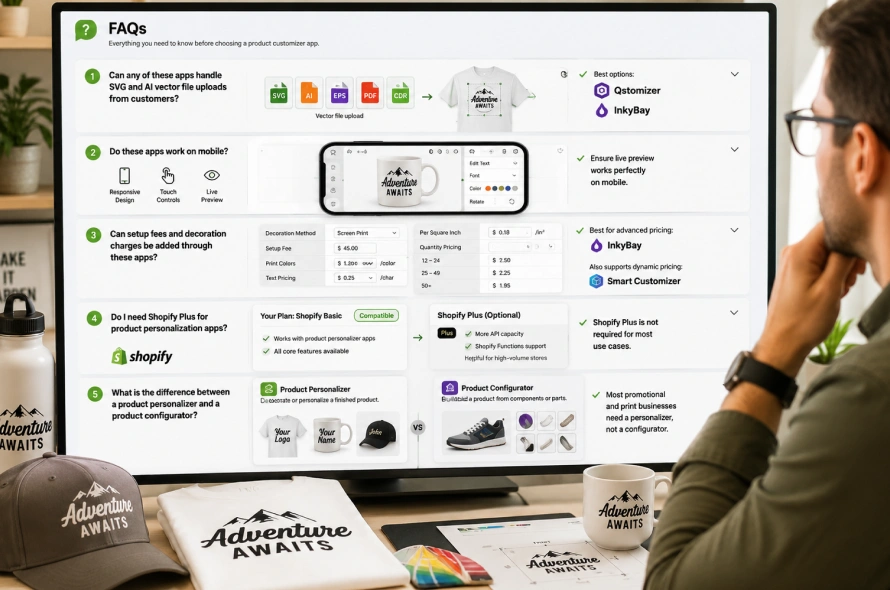
Can any of these apps handle SVG and AI vector file uploads from customers?
Yes. Qstomizer explicitly supports AI, EPS, PDF, and CDR format imports. InkyBay supports SVG uploads and outputs SVG in print-ready files. If vector format handling is critical to your production process, Qstomizer and InkyBay are the two strongest options.
Do these apps work on mobile?
Most do, but mobile responsiveness varies. Live preview is the most critical feature, and apps without live preview have significantly lower conversion rates. Mobile responsiveness is equally important since over 70 percent of Shopify traffic comes from mobile devices. Always test any app on mobile before launching.
Can setup fees and decoration charges be added through these apps?
InkyBay handles this natively with its customization pricing system, which supports setup fees, photo print pricing, text pricing, color-based pricing, and per-square-inch pricing. Smart Customizer also supports dynamic pricing tied to custom options. Other apps have varying levels of support for this requirement.
Do I need Shopify Plus for product personalization apps?
No. Most Shopify product personalization apps work on standard Shopify plans. Shopify Plus provides additional benefits like more API capacity and Shopify Functions support, which can improve pricing accuracy for high-volume customization stores, but it is not required for most use cases.
What is the difference between a product personalizer and a product configurator?
A product personalizer lets customers decorate or personalize a finished product, for example by uploading a logo to a t-shirt or adding a name to a mug. A product configurator lets customers build a product from components, for example by selecting different parts, materials, and colors for a custom shoe or bag. Most promotional product and print businesses need a personalizer, not a configurator.
Final Words:
Shopify product personalization apps are not all the same, and picking the wrong one creates more problems than it solves. A simple file upload app is not enough if customers need live preview. A basic personalizer is not enough if your business needs print-ready vector output, setup fees, and decoration pricing. And a standard POD-focused app is not enough if your store sells promotional products with multi-side printing and quantity-based pricing tiers.
Start by defining what your customer needs to do on the product page and what your production team needs to receive from each order. That clarity makes the right app obvious.
If your requirements go beyond any single app, including custom artwork approval workflows, ERP integration, or complex B2B pricing rules layered on top of personalization, a custom Shopify solution is worth the extra investment in setup time.