
Magento is powerful. No doubt about that. For many ecommerce businesses, Magento gave them control when basic platforms were too limited. It allowed custom catalogs, complex product rules, advanced checkout logic, customer groups, integrations, and custom development.
But power comes with cost.
Magento stores often need continuous maintenance, server management, security patches, extension updates, performance tuning, developer support, and upgrade planning. For print shops, promotional product distributors, and growing ecommerce brands, this can slowly become a burden.
This guide explains when Magento to Shopify migration makes sense, what needs to move, what can go wrong, and how to migrate properly.
You might be interested in:
Migrate WooCommerce Print Shop to Shopify with 5 Steps
Etsy to Shopify Migration – Move Your Print Shop in 12 Steps
Why Are Businesses Moving from Magento to Shopify?

The biggest reason is not that Magento is bad. The real issue is maintenance.
Magento is flexible, but it usually needs more technical ownership. Hosting, performance, extensions, security updates, compatibility issues, and custom code all need regular attention.
Shopify handles much of the ecommerce infrastructure for you. That means your team spends less time managing the platform and more time improving products, marketing, conversion, and customer experience.
For a print shop, this matters because the business already has enough operational complexity.
You may be managing:
- Custom products
- Product variants
- Artwork files
- Bulk pricing
- Quote requests
- Print providers
- Shipping rules
- B2B customers
- Repeat orders
- Fulfillment workflows
If your ecommerce platform also needs constant technical maintenance, the business becomes harder to scale.
Magento vs Shopify: What Is the Real Difference?
Magento gives deeper backend control while Shopify gives a more managed and easier ecommerce system.
Here is a practical comparison:
| Area | Magento | Shopify / Shopify Plus |
| Hosting | Usually managed by merchant or hosting provider | Managed by Shopify |
| Maintenance | Higher technical maintenance | Lower platform maintenance |
| Customization | Very flexible, but developer-heavy | Flexible through themes, apps, APIs, and custom apps |
| Admin experience | Can be complex | Easier for non-technical teams |
| Security updates | Needs active maintenance | Handled mostly by Shopify platform |
| Apps/extensions | Strong but can create compatibility issues | Large app ecosystem with easier setup |
| Performance | Depends heavily on hosting and optimization | More stable managed infrastructure |
| B2B features | Strong with custom setup | Stronger on Shopify Plus with B2B tools and custom workflows |
| Best for | Businesses needing deep custom backend control | Brands wanting faster operations and lower maintenance burden |
The decision is not about which platform is “better” in every case. The question is simpler:
Does Magento still help your business move faster, or is it slowing you down?
When Should You Move from Magento to Shopify?
You should consider migration if:
- Magento updates are becoming expensive
- Your store is slow or unstable
- Extension conflicts keep happening
- Your admin panel is hard for the team
- Developers are needed for every small change
- Checkout conversion is weak
- Product management feels messy
- SEO structure needs cleanup
- Integrations are difficult to maintain
- You want a better app ecosystem
- You need Shopify Plus for B2B, expansion stores, or stronger automation
If your Magento store is stable, fast, profitable, and easy to maintain, you may not need to migrate immediately.
But if your team is spending more time maintaining Magento than growing the business, migration is worth serious consideration.
What Data Can Be Migrated from Magento to Shopify?
Most important data can move, but it must be mapped correctly.
| Magento Data | Shopify Destination | Risk Area |
| Products | Shopify products | Descriptions, images, handles, SEO |
| Configurable products | Products and variants | Variant mapping can get messy |
| Simple products | Variants or separate products | Depends on catalog structure |
| Categories | Collections | Category hierarchy needs restructuring |
| Customers | Shopify customers | Consent, tags, groups |
| Orders | Shopify orders or archived records | Historical accuracy |
| Product attributes | Metafields/metaobjects | Custom data mapping |
| Coupons | Discounts | Rule differences |
| CMS pages | Shopify pages | Layout and formatting |
| Integrations | Apps/custom APIs | Needs rebuilding |
The biggest mistake is assuming Magento and Shopify store data the same way.
They do not.
Magento attributes, configurable products, simple products, categories, customer groups, and custom modules may need careful restructuring before they make sense in Shopify.
What Is the Biggest Migration Risk?

For Magento stores, the biggest risk is usually product structure. Magento often uses configurable products with simple products underneath. Shopify uses products, options, and variants.
This means your migration team must decide how Magento products should appear in Shopify.
For example, a Magento product may have:
- Parent configurable product
- Child simple products
- Color attribute
- Size attribute
- SKU per child product
- Custom product attributes
- Category assignments
- Tier pricing
- Inventory rules
In Shopify, this may become:
- One product
- Size and color options
- Variants
- SKUs
- Collections
- Metafields
- Pricing rules or apps
If this mapping is wrong, customers may see broken variants, wrong prices, missing images, or confusing product pages.
For print on demand stores, this matters even more because products may also include artwork upload, print location, setup fees, bulk pricing, and supplier rules.
Magento to Shopify Migration Process – Step by Step Guide
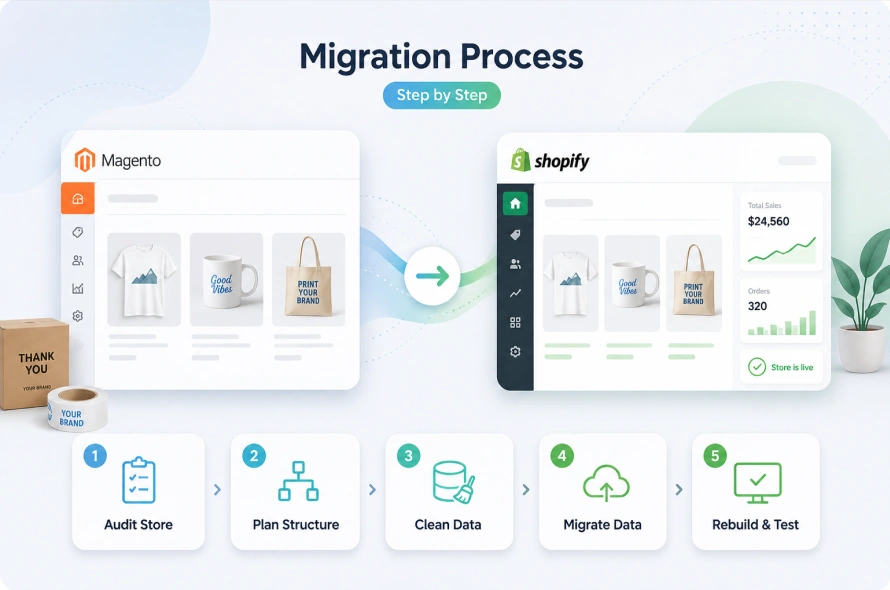
A Magento to Shopify migration should not start with exporting data. It should start with understanding how your current Magento store works, what data matters, and which workflows need to be rebuilt inside Shopify.
Magento stores often contain years of products, customers, orders, attributes, extensions, SEO URLs, and custom logic. If you move everything without planning, you may carry the same problems into Shopify.
A proper migration helps you clean the store, protect important data, and create a better ecommerce setup.
Step 1: Audit the Magento Store
The first step is to review the full Magento store so you know exactly what needs to move.
Check products, configurable products, simple products, categories, customer groups, order history, custom attributes, extensions, shipping rules, payment methods, and SEO URLs.
For print shops, also review artwork upload, quote requests, bulk pricing, supplier logic, and custom product workflows.
This audit helps you decide what should move, what should be rebuilt, and what should be removed.
Step 2: Plan the Shopify Structure
After the audit, plan how the new Shopify store should be organized.
Magento categories do not always work cleanly as Shopify collections. Plan product types, collections, tags, metafields, filters, navigation, and SEO URLs.
For print shops, collections can be built around buying intent, such as Custom T-Shirts, Hoodies, Corporate Gifts, Event Merchandise, and Promotional Products.
Also decide which Magento attributes should become Shopify metafields, such as print method, production time, minimum quantity, material, or supplier code.
Step 3: Clean and Prepare Data
Before importing anything, clean the Magento data. Review product titles, descriptions, SKUs, images, categories, prices, and custom attributes. Remove duplicate products, fix broken formatting, archive outdated products, and complete missing information.
In Shopify, these usually become products and variants. Size and color can work as variants, while artwork upload, personalization text, and proof approval are usually better handled through custom fields or apps.
Step 4: Migrate Products, Customers, and Orders
Once the data is clean, migrate products first because the rest of the store depends on the correct product structure.
Move titles, descriptions, images, variants, SKUs, prices, inventory, tags, collections, SEO details, and metafields.
After products are stable, migrate customer data and decide how much order history should move.
For print shops, repeat orders matter, so old artwork references, customer notes, and previous order details should be handled carefully.
Step 5: Rebuild Extensions and Integrations
Magento extensions do not move directly to Shopify, so each feature needs to be reviewed.
Some can be replaced with Shopify apps. Some can be handled by Shopify’s built-in tools. Others may need custom Shopify development.
This may include reviews, search, product filters, shipping rules, ERP sync, quote requests, product customizers, bulk pricing, and artwork upload workflows.
Step 6: Test and Launch Carefully
Before going live, test the full customer journey.
Check product pages, variants, filters, cart, checkout, discounts, taxes, shipping, payment, emails, customer accounts, and mobile experience.
For print shops, also test artwork upload, personalization fields, quote forms, bulk pricing, supplier routing, and fulfillment logic.
The key question is simple: can a customer place an order, and can your team fulfill it without missing information?
Should You Choose Shopify or Shopify Plus?
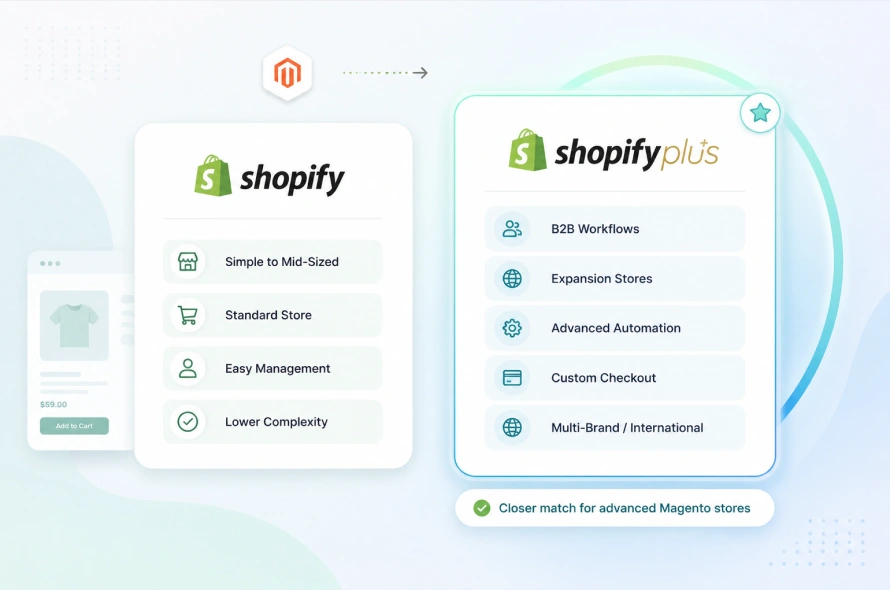
Use Shopify if your store is simple to mid-sized and does not need advanced B2B or multi-store controls. Consider Shopify Plus if you need:
- B2B workflows
- Multiple expansion stores
- Higher customization needs
- Advanced automation
- Custom checkout needs
- Large team permissions
- International or multi-brand setup
- Enterprise-level migration support
For many Magento businesses, Shopify Plus is the closer match because Magento stores often already have advanced workflows.
Why Work with Swishtag?
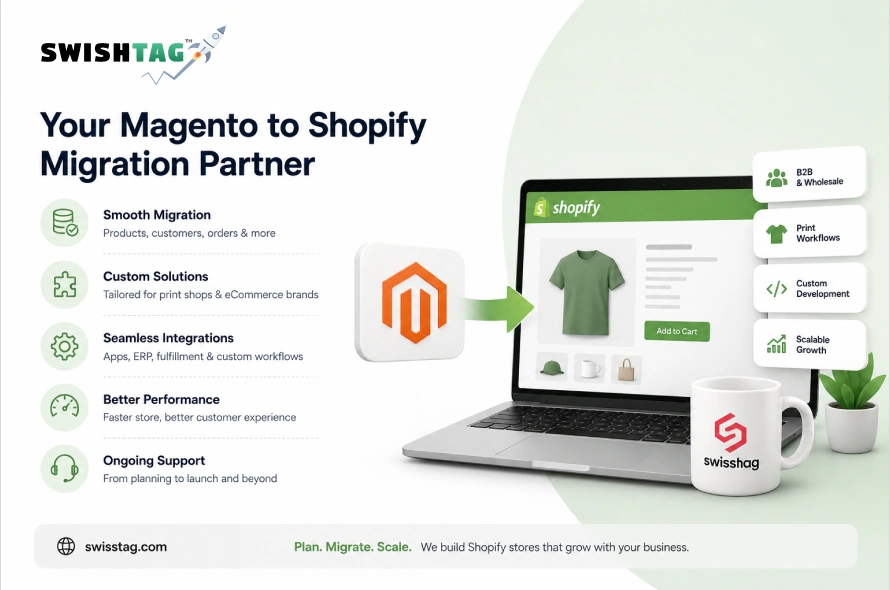
Swishtag helps ecommerce brands, print shops, POD businesses, and promotional product distributors migrate from Magento to Shopify or Shopify Plus.
We can help with:
- Magento store audit
- Product and variant mapping
- Customer and order migration
- SEO redirect planning
- Shopify theme setup
- Product customizer workflows
- Print file upload setup
- B2B pricing setup
- ERP and fulfillment integrations
- Shopify custom app development
- QA and launch support
The goal is not just to move your data.
The goal is to make the new Shopify store easier to manage, faster to scale, and better for customers.
FAQs

Is Magento better than Shopify?
Magento is better if you need deep backend control and have the technical team to maintain it. Shopify is better if you want a managed ecommerce platform with easier operations, better apps, and lower maintenance overhead.
Can Magento products migrate to Shopify?
Yes. Products, variants, images, customers, and some order data can be migrated. But Magento product structures need careful mapping before import.
Will Magento SEO rankings drop after migration?
They can drop if redirects are not handled properly. A strong migration includes URL mapping, 301 redirects, metadata review, and post-launch monitoring.
Can Shopify handle Magento’s complex products?
Yes, in many cases. But complex Magento attributes may need to be mapped into Shopify variants, metafields, metaobjects, or custom apps.
Is Shopify Plus required?
Not always. But if your Magento store has B2B pricing, multiple stores, complex integrations, or enterprise workflows, Shopify Plus is usually the better fit.
Magento Is Powerful But Shopify Can Be Easier to Scale

In a nut shell, Magento gives control, but that control often comes with heavy maintenance.
If your business has the technical team and budget to manage Magento properly, staying on Magento can still make sense.
But if your store is becoming slow, expensive, hard to update, or difficult for your team to manage, moving to Shopify or Shopify plus can be a smart decision.
A Magento to Shopify migration is not just a platform switch.
If you want to move from Magento to Shopify without losing control of your products, customers, traffic, and workflows, Swishtag can help you plan and execute the migration properly.