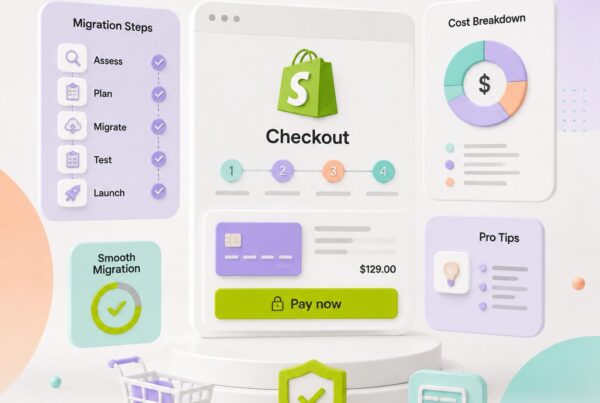

If you are planning to move an existing ecommerce store to Shopify and your business runs complex B2B rules, the first question you will ask is: how long will this actually take?
Here is the direct answer before anything else.
A simple Shopify migration typically takes 3 to 6 weeks. A complex B2B Shopify migration usually takes 8 to 16+ weeks. And if your store includes promotional product logic, supplier feed integrations, ERP connections, advanced pricing workflows, or artwork approval systems, the Shopify B2B migration timeline can stretch to 4 to 6 months or more.
But those numbers only tell part of the story. The real question is: what is actually inside your migration? Because a Shopify migration for a B2B or promotional products business is not just moving a website from one server to another.
It means rebuilding your entire business logic, pricing rules, order flows, customer hierarchies, and integrations inside a new platform. That is where the time goes.
You might be interested in:
Shopify ERP Integration for High-Volume Orders: Complete 2026 Guide
Simple Shopify Migration vs. Complex B2B Migration: What Is the Difference?
Understanding what separates a simple migration from a complex one is the first step to estimating your project accurately.
What a Simple Shopify Migration Includes
A straightforward ecommerce migration to Shopify usually covers:
- Products, descriptions, images, and basic variants
- Customer accounts and contact data
- Order history
- Static pages and blog content
- Theme setup and basic design
- Checkout configuration
- SEO redirects from old URLs to new ones
When this is all that needs to move, and the data is clean, 3 to 6 weeks is a realistic and achievable target.
What a Complex B2B Shopify Migration Includes
A B2B store does not work like a standard ecommerce store. A normal store has one path: customer sees product, adds to cart, pays online, order placed. A B2B store often has rules like these:
- Different pricing for different customer types (retail, wholesale, VIP distributor, corporate)
- Minimum order quantities per product or per customer
- Quote requests instead of direct checkout
- Company accounts with multiple buyers under one business
- Order approval before processing
- Net 30 or invoice payment terms
- Customer-specific product catalogs
- Custom shipping rules by region or account
- ERP or CRM integration for inventory and order sync
When these rules exist, the ecommerce replatforming timeline expands to 8 to 16+ weeks at minimum, and often significantly longer.
Promotional Products Add Another Layer of Complexity
If your business is in the promotional products industry, the Shopify B2B migration timeline gets even longer. Promotional product stores carry a unique combination of data and workflow requirements that standard Shopify configurations cannot handle natively.
What Promotional Product Migrations Involve
Quantity-based pricing where the unit price changes at different order thresholds, for example $8 each at 50 pieces, $6 each at 100 pieces, and $4 each at 500 pieces. Shopify does not handle tiered pricing by default and requires custom logic, apps, or metafields to support it.
Setup fees and decoration charges such as screen print fees, embroidery charges, or plate fees that are separate from the product unit price and must be calculated independently at cart and checkout.
Artwork upload and proof approval where the customer uploads a logo or design file, the production team reviews it, a digital proof is created, and the customer approves before the order enters production. This entire workflow sits outside standard Shopify checkout and requires a custom app or third-party workflow tool.
Imprint methods and print locations that vary by product and affect pricing, production time, and supplier routing.
Supplier catalog feeds from systems like SAGE, ASI, or CommonSKU that must sync product data, inventory, and pricing into Shopify on a scheduled basis through custom middleware.
Custom quote workflow where a sales team reviews order details, applies custom pricing, and converts an approved quote into a purchase order or invoice.
Each of these adds weeks to the project scope because each one requires custom development, testing, and integration work that goes beyond any off-the-shelf Shopify setup.
12 Factors That Affect Your Shopify B2B Migration Timeline
The following are the real drivers of timeline in a complex B2B ecommerce replatforming project. Design is rarely the bottleneck. Business logic always is.
1. If product data in the existing system is not clean, migration slows significantly
Common issues include duplicate products, missing SKUs, wrong categories, missing images, inconsistent variant naming, and mixed color and size data.
For example, the same product might appear in a legacy system as Black Shirt Small, Shirt Black S, BLK-S Shirt, and Black-S. All of these must be normalized into a clean Shopify variant structure before import.
Data cleanup alone can take 2 to 4 weeks depending on catalog size.
2. Complex B2B Pricing Rules
In B2B stores, each customer type often gets a different price. Mapping these pricing tiers into Shopify requires deciding whether to use Shopify Plus native B2B price lists, customer tags, metafields, a third-party pricing app, or custom checkout logic.
If pricing rules are not fully documented before the migration starts, scoping becomes unreliable and rework becomes likely.
3. Quantity-Based Pricing
Tiered pricing by order quantity is one of the most technically demanding aspects of a promotional products migration. Shopify’s default product pages do not display quantity price breaks natively. Custom pricing logic, JavaScript on the product page, or a dedicated pricing app is required, and each approach has its own testing requirements.
4. Setup Fees and Decoration Charges
Setup fees and decoration charges are not part of the normal product price. They need to be calculated separately and added to the cart during checkout. This requires custom cart logic and careful testing across different product types, decoration methods, and order configurations.
5. Artwork Upload and Proof Approval Workflow
The artwork upload and proof approval flow is a multi-step process that sits entirely outside Shopify’s default checkout path. Building this requires a custom app or integration with a workflow tool, plus testing across the full sequence from upload to review to approval to production entry.
6. Quote Request Flow
Many B2B and promotional product stores do not use direct checkout. Customers add products to a quote, a sales team reviews and applies custom pricing, and the customer approves before an order is created. This is not Shopify’s default behavior and requires a custom build or a purpose-built B2B quote app, neither of which is a quick configuration task.
7. Customer-Specific Catalogs
When certain customers should only see specific products, custom logic is needed to show or hide products and collections based on customer login and account type. This is achievable in Shopify but requires planning, development, and thorough testing to avoid accidental visibility errors.
8. ERP, CRM, and Supplier Feed Integrations
If the existing system connects to an ERP like NetSuite or SAP, a CRM, or supplier platforms like SAGE, ASI, or CommonSKU, those integrations must be rebuilt in Shopify. According to a Panorama 2024 survey, the median ERP integration timeline across live projects is 15.5 months from kickoff to final go-live.
Even smaller scoped integrations typically require 4 to 12 additional weeks of development and testing. IWD Agency’s 2026 implementation data shows that adding ERP integration to a Shopify Plus B2B build pushes timelines to 18 to 28 weeks.
It might help you:
How to Sync SAGE, ASI, and CommonSKU Feeds with Shopify’s Product Matrix
9. Order History Migration
Migrating products is relatively straightforward. Migrating order history is harder. Old payment data often cannot transfer cleanly. Refund statuses may be incomplete. Fulfillment history and customer notes can be missing. Custom order fields rarely map directly to Shopify’s data model. Many teams choose to archive old order data as reference records rather than attempting a full migration into live Shopify orders.
10. Shopify Platform Limitations
Shopify is a strong platform, but advanced B2B logic often requires Shopify Plus. Custom checkout control is limited on standard Shopify plans. Complex pricing requires apps or custom code. Variant structures must be carefully planned.
Each Shopify Function required for custom discount or shipping logic is a separate development effort that typically takes 1 to 3 weeks per function according to IWD Agency’s implementation data.
12. QA Testing
Testing is non-negotiable and is consistently underestimated in initial project scopes. A complete QA cycle for a B2B Shopify migration needs to cover product pages, variant selection, price calculation, MOQ rules, setup fee calculation, artwork upload flow, quote request, customer login, B2B pricing tiers, checkout, tax, shipping, payment processing, order sync, email notifications, and mobile responsiveness.
Skipping or compressing testing is the most common cause of post-launch issues.
The Most Common Questions The Client Always Ask
Understanding what clients typically want to know helps set expectations before the project begins. Common client questions include:
- How long will the full migration take?
- Can we launch in phases to reduce risk?
- Do we need Shopify Plus for our B2B features?
- Can all products and existing orders migrate?
- Can Shopify handle our customer-specific pricing?
- Can customers upload artwork or logos?
- Can setup fees and decoration charges be added to orders?
- Will inventory sync automatically from our supplier system?
- Will our SEO rankings be affected after migration?
Each of these questions points to a different area of complexity. The answers shape the timeline directly.
Questions to Ask From The Client Before Giving Any Timeline Estimate
Providing a migration timeline estimate without understanding the business in detail is a reliable way to underscope a project. Before committing to any timeline, clarify the following with the client:
- What platform are you migrating from? How many products and variants exist? How clean is the current data?
- How many customer groups exist? Do different customers see different prices? Is wholesale pricing or tiered pricing required? Are minimum order quantities in use?
- Is direct checkout used or does the store need a quote request flow? Is order approval required before processing? Are Net 30 or invoice payment terms needed?
- Do customers upload artwork or logos? Are setup fees or decoration charges applied? Is proof approval required before production?
- Is there an ERP, CRM, SAGE, ASI, or CommonSKU connection that needs to be rebuilt? Is inventory and pricing sync required on a schedule?
- Does order history need to migrate into Shopify or just be archived?
- Are SEO redirects required? How many URLs need mapping?
- Is a full launch preferred or is a phased launch acceptable?
When these questions are answered, an accurate Shopify B2B migration timeline and realistic cost estimate become possible.
Realistic Shopify B2B Migration Timeline Summary
| Migration Type | Typical Timeline |
| Simple ecommerce migration | 3 to 6 weeks |
| Mid-size store with integrations | 8 to 12 weeks |
| Complex B2B with pricing and workflows | 8 to 16+ weeks |
| Promotional products with supplier feeds | 4 to 6 months |
| Enterprise B2B with ERP and multi-region | 6 months or more |
Final Words
Simple Shopify migration usually takes 3 to 6 weeks. Complex B2B Shopify migration typically takes 8 to 16+ weeks. When promotional product logic, supplier feed integrations, ERP connections, advanced pricing rules, quote workflows, or artwork approval systems are involved, the Shopify B2B migration timeline often reaches 4 to 6 months or more.
The most important rule before estimating any migration timeline: do not guess. The real time in a B2B Shopify migration does not go into design or theme setup. It goes into rebuilding pricing logic, customer hierarchies, quote workflows, product data, integration pipelines, and thorough QA testing. Understand the full scope of the business first, then build a phased migration plan that reflects the actual complexity of the project.
FAQS
FAQs
How long does a complete Shopify B2B migration take?
A simple Shopify migration usually takes 3 to 6 weeks. A complex B2B Shopify migration typically takes 8 to 16+ weeks. If the store includes promotional product logic, supplier feed integrations, ERP connections, advanced pricing workflows, or artwork approval systems, the timeline can stretch to 4 to 6 months or more.
Can we launch a Shopify B2B migration in phases?
Yes. A phased launch can reduce migration risk, especially for complex B2B stores. You can move core products, customers, and checkout first, then launch advanced workflows such as supplier feeds, artwork approval, quote requests, ERP integrations, or customer-specific catalogs in later phases.
Do we need Shopify Plus for B2B features?
Not always, but Shopify Plus is often the better fit for advanced B2B stores. If your business needs customer-specific pricing, company accounts, B2B price lists, custom checkout logic, larger automation needs, or complex integrations, Shopify Plus usually gives more control than standard Shopify plans.
Can all products and existing orders migrate to Shopify?
Products, customer data, and basic order history can usually be migrated, but complex data needs careful mapping. Historical orders are harder because payment data, refund statuses, fulfillment history, customer notes, and custom order fields may not map cleanly into Shopify. Some teams archive old orders instead of importing everything into live Shopify records.
Can Shopify handle customer-specific pricing?
Yes. Shopify can support customer-specific pricing through Shopify Plus B2B price lists, customer tags, metafields, third-party pricing apps, or custom logic. The right approach depends on the number of customer groups, pricing tiers, minimum order quantities, and checkout requirements.
Can customers upload artwork or logos during a Shopify B2B order?
Yes, but artwork upload and proof approval are not part of Shopify’s default checkout flow. For promotional product and print businesses, this usually requires a custom app, third-party workflow tool, or custom Shopify integration to manage file upload, review, proof approval, and production handoff.
Can setup fees and decoration charges be added to Shopify orders?
Yes. Setup fees and decoration charges can be added, but they usually require custom cart logic, a pricing app, or custom development. These charges must be tested carefully across different products, decoration methods, quantities, and checkout scenarios.
Will inventory sync automatically from our supplier system?
Inventory will only sync automatically if the supplier, ERP, CRM, SAGE, ASI, or CommonSKU connection is rebuilt for Shopify. This may require an app, API integration, custom middleware, or scheduled feed sync depending on the supplier system and data format.
Will SEO rankings be affected after a Shopify B2B migration?
SEO rankings can be affected if the migration is handled poorly. A strong migration should include URL mapping, 301 redirects, metadata review, collection and product URL planning, and post-launch monitoring to protect existing organic traffic.