Recent corporate data shows that companies using choice-based platforms see a 45% drop in employee turnover after two years, with high-quality recognition driving a 65% reduction in active job hunting.
Managing gear for your team can easily become a major headache filled with messy size spreadsheets and boxes blocking office hallways. When you shift away from manual processes to a centralized platform, you instantly remove these headaches and give your team an experience they will love.
Setting up a custom online company store for employees allows you to automate gear distribution, save administrative time, and build a cohesive company identity.
Let us walk through how a branded company’s online stores system operates and how you can launch your own platform without any technical stress.
You be interested in:
What Is an Internal Company Store Setup? A Simple Guide for Businesses
What is an Online Company Swag Store?
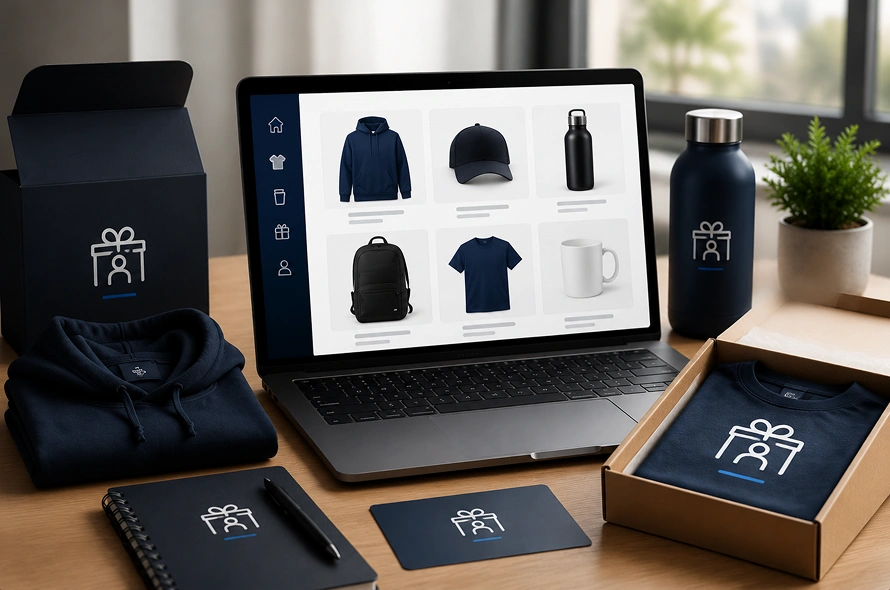
An employee merchandise store is a private, password-protected e-commerce portal built specifically for the company’s internal team members, remote workers, and new hires.
Instead of selling items to the general public, this custom online store serves as a centralized hub where staff members can log in, browse a pre-approved collection of custom company swag, and order branded clothing that actually fits their style.
Choosing the Right Setup: Store Types, Themes & Ideas
To build a corporate platform that matches your administrative workflow, you first need to understand the three primary operational setups for online company stores:
- Warehousing Stores: You buy your branded gear in large quantities ahead of time. A fulfillment partner handles the inventory management inside a central warehouse, packing and shipping orders out immediately when an employee redeems them. This path gives you the lowest price per item and the fastest shipping speeds.
- On-Demand Production: In this type of stores, items are only printed, embroidered, or decorated after an employee places an order. This zero-inventory model completely removes upfront inventory costs and leftover waste, making it an excellent match for hybrid workplaces. These are Print on demand stores (POD Stores) integrated with Printful/printify
- Pop-Up Company Stores: These are temporary digital storefronts that stay open for a specific window, like a two-week period before winter holidays or a major summer team event. Orders are gathered all at once, manufactured in a single batch, and distributed together to cut down on separate shipping fees.
To make your portal engaging, organize your products into curated themes. You can design an onboarding kit theme for new hires, a work-from-home essentials collection with premium tech accessories, or a wellness and activewear section loaded with high-quality gym clothes.
Now that you know what kind of shop fits your business model, it is time to map out the physical creation steps.
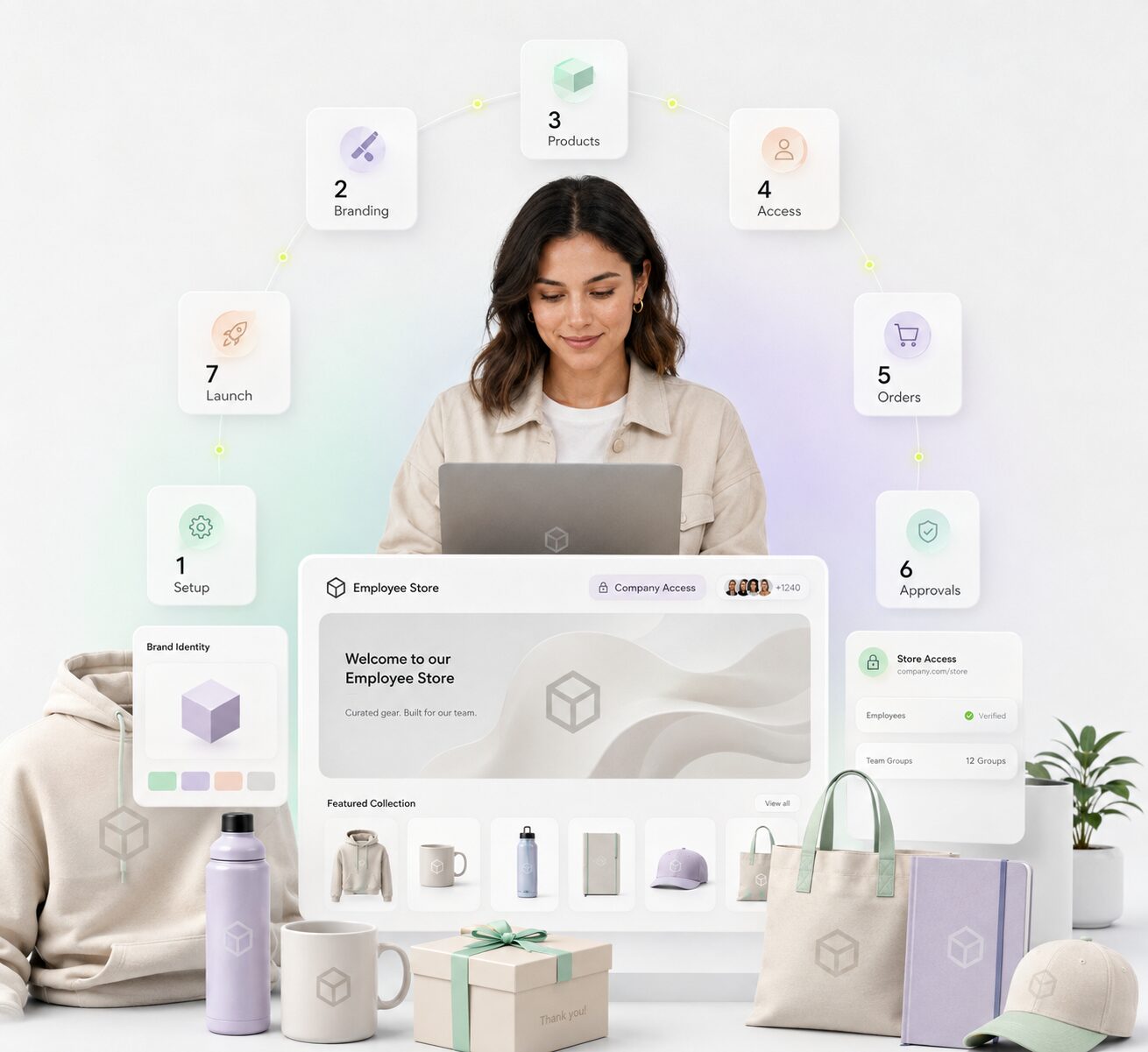
How to Set Up a Branded Online Company Swag Store in Just 7 Steps
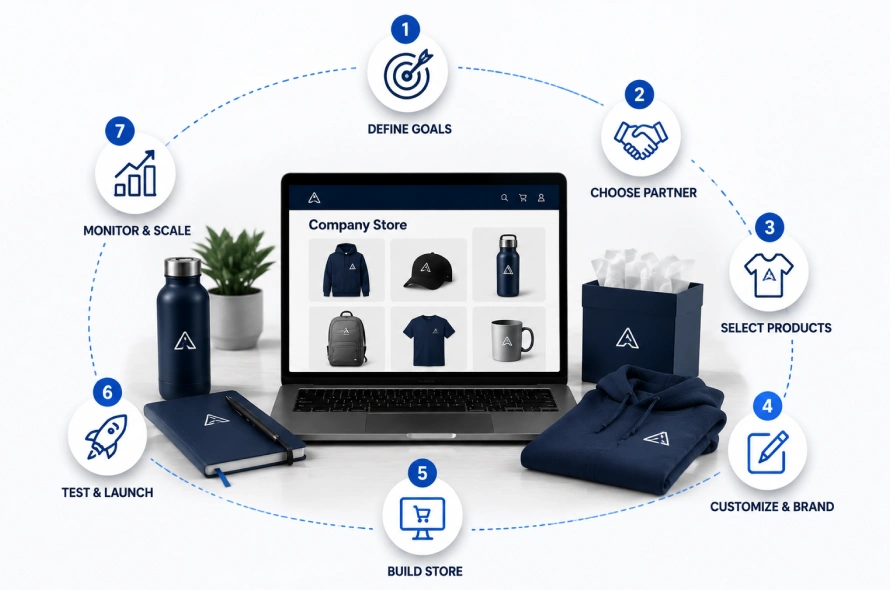
Building an employee company store is straightforward when you take it one step at a time. Following a structured launch plan ensures you do not waste your corporate budget on unpopular sizes or complex software.
Step 1. Identify Your Strategic Goals
Define exactly what you want your storefront to accomplish before browsing any catalogs. Decide if you are launching a continuous company apparel store for employees to handle mandatory daily uniforms, or if you need a flexible reward system to run your broader corporate gifting solutions. Setting these targets early determines your overall budget, feature list, and required HR platform integrations.
Step 2. Choose the Right Partner
Look for an e-commerce development agency or specialized promotional product distributors to help you build the platform. A top-tier distributor connects you directly with the right manufacturer, bulk supplier, professional garment decorator, and global shipping carrier. This keeps your entire supply chain united under a single dashboard instead of forcing you to manage multiple vendor accounts.
Step 3. Select Your Apparel and Merchandise
Pick retail-quality pieces that your staff will genuinely want to wear during weekends and casual days. Evaluate products based on fabric quality, steady material availability, high supplier rating scores, and consistent inventory level assurances. Focus on comfortable essentials like sustainable organic cotton t-shirts, weather-proof jackets, and vacuum-insulated travel tumblers.
Step 4. Customize and Brand Your Selection
Establish clear guidelines for logo placements, brand colors, and embroidery styles to keep your visual identity consistent across all items. Coordinate with your production team to match your official design guide with the best customization techniques, such as sleek tonal embroidery for sweaters or high-definition prints for tech accessories.
Step 5. Build Your Online Storefront
Select a reliable content management system (CMS) to host your portal. You can invest in a completely custom e-commerce build, but using an established platform like Shopify, WooCommerce, or BigCommerce is highly recommended. Utilizing the Shopify ecosystem provides access to quick drag-and-drop store building, simple payment integration, effortless order tracking, and an app store packed with automated corporate tools.
Step 6 Test and Launch Your Store
Perform a complete dry run with a small group of department heads before opening the portal to your entire workforce. Double-check that your employee account point credits work properly, check checkout flows for bugs, and verify that automated shipping emails send correctly. Once everything passes inspection, send the private log-in link to your staff.
Step 7 Monitor, Adjust, and Scale
Review your backend store analytics on a monthly basis to see which pieces are your clear best-sellers and which ones are taking up shelf space. Use this accurate demand data to update your upcoming inventory counts, swap out items for seasonal refreshes, and scale up your product selection as your company expands.
Essential Features for Your Custom Company Store
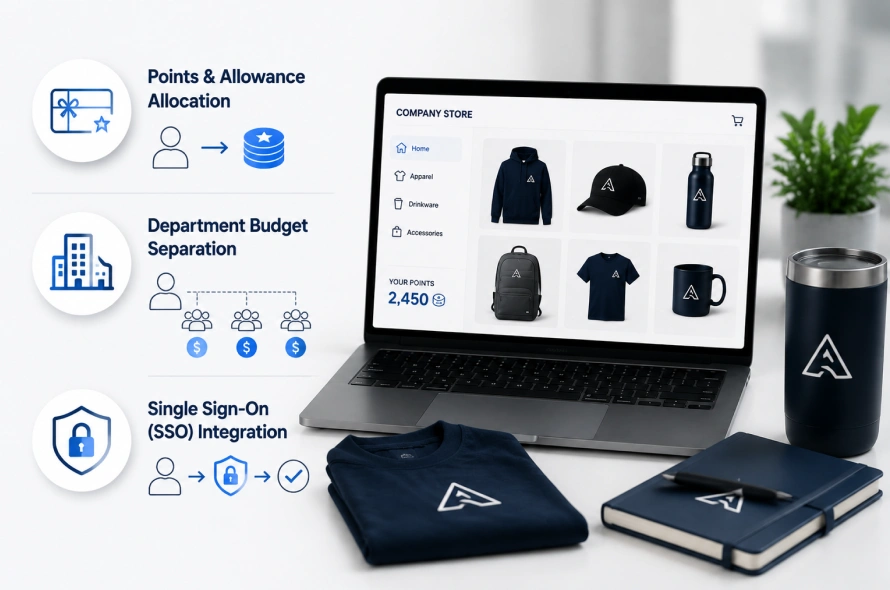
To learn how to create a branded online company store for employees that runs smoothly without manual intervention, you need tools built specifically for internal workflows rather than everyday retail buyers.
Make sure your developer includes these three critical corporate features:
- Points and Allowance Allocation: Avoid forcing employees to use personal credit cards by implementing internal point credits or automated gift cards. You can automatically deposit points into employee accounts for birthdays, work milestones, or peer recognition rewards.
- Department Budget Separation: Allow individual teams or regional branches to purchase bulk event gear out of their own specified cost centers, keeping your primary financial approvals simple and organized.
- Single Sign-On (SSO) Integrations: Connect your store with your internal HR directory so employees can securely log in using their normal office credentials, which automatically turns off their access if they leave the business.
Create Your First Company Store
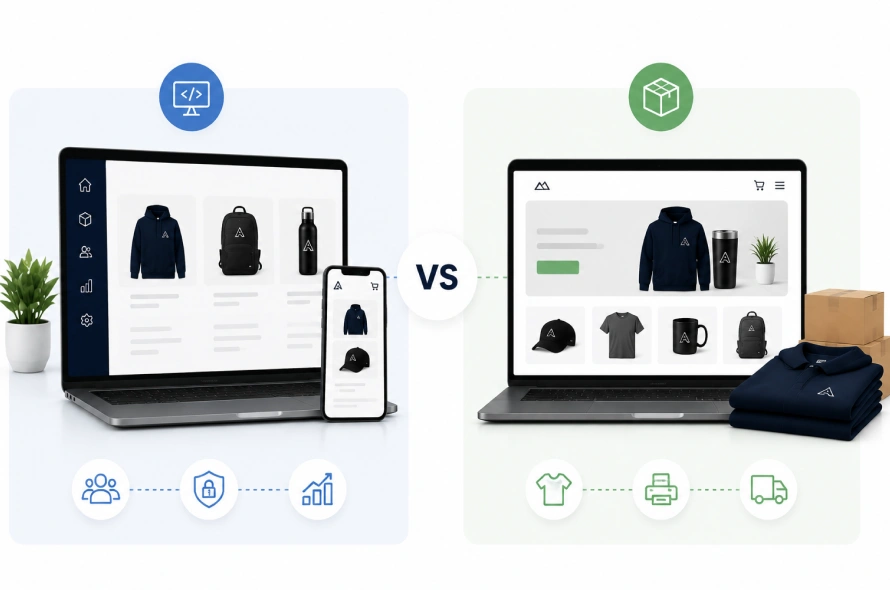
When you plan your project, you will generally find two main categories of providers in the market.
The first option consists of specialized e-commerce development companies, such as Swishtag, who focus on building highly customized, automated software portals that link directly with your internal corporate infrastructure.
The second option includes traditional promotional product distributors who specialize heavily in bulk manufacturing, printing, and inventory warehousing.
These distributors often provide free, template-based portals as an added benefit when you contract to buy large batches of physical merchandise from them.
FAQ About Custom Online Stores
How do we handle shipping fees and addresses for remote workers?
Your platform can be configured to integrate with direct-to-home shipping networks. During the checkout process, remote employees simply enter their home address, and the automated fulfillment system calculates the best shipping rates and prints tracking labels automatically.
Can we set caps on how much gear an employee can order?
Yes, you have full control over buying limits. You can assign fixed seasonal point budgets to each employee profile, generate one-time use voucher codes for specific onboarding kits, or limit individual items to one per user to prevent over-ordering.
What happens if an item runs out of stock or is discontinued?
By using a modern CMS platform, your store inventory counts update automatically. If a specific color or size drops below a certain level, the platform can automatically hide the item or display a backorder notice so your employees never select unavailable gear.
Can we show different products to different teams or roles?
Yes, advanced platforms support targeted catalog visibility. Your outdoor field crews can be set to only see heavy-duty work shirts and safety jackets, while your indoor corporate offices can view soft fleeces, laptops sleeves, and executive corporate gifts.
Do we have to pay sales tax on items ordered through an employee portal?
Tax rules vary by location, but internal distribution programs can often be set up as a company expense or tax-exempt benefit. Your e-commerce partner can help configure tax settings based on whether employees are using company-funded point credits or their own personal credit cards.
Final Words
Investing in a custom online company store for employees is a smart strategic move that replaces annoying manual processes with a polished, automated system.
Transitioning away from old-school size spreadsheets to a modern, centralized storefront helps you protect your official brand designs, manage budgets perfectly, and run effective employee gifting programs.
Prioritize retail-grade merchandise that your team will actually want to wear, pick an e-commerce platform that can grow alongside your business, and use automated fulfillment settings to turn your company swag store for employees into a powerful tool for team appreciation.