Starting or scaling a business in the branding industry requires more than just good sales skills. If you want to survive and thrive, you need a bulletproof system to manage company orders. For any successful business in this niche, the ultimate backbone is a well-oiled promotional product distributor workflow.
Without a clear Promo Order Management Process, you will quickly find yourself drowned in wrong print sizes, missed shipping deadlines, and angry clients.
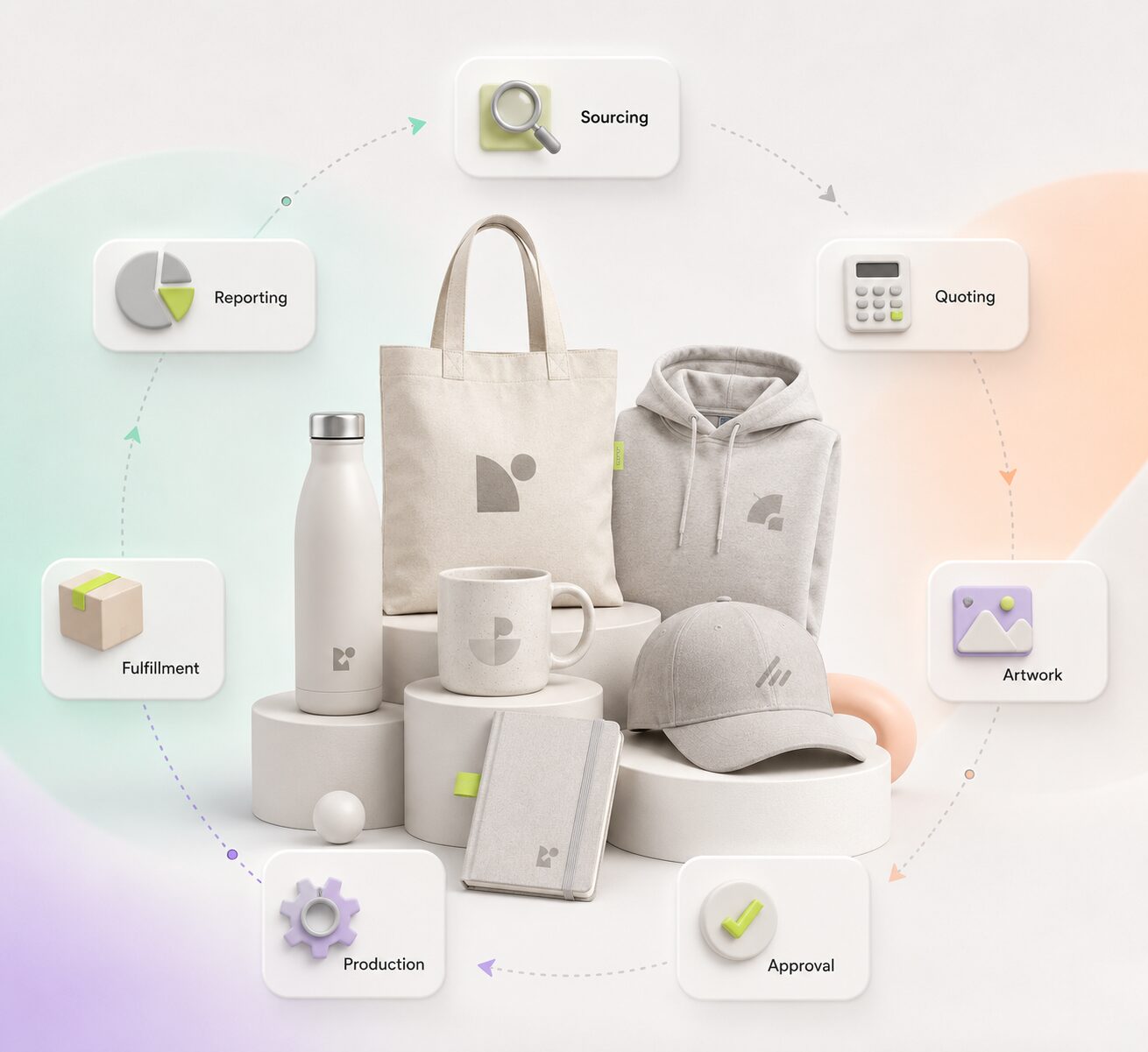
In this ultimate guide, we are going to look at this industry from a bird’s-eye view. We will break down the complete Order Lifecycle also known as the Order Cycle from the exact moment a client makes an inquiry to the final second the cash hits your bank account.
This entire end-to-end operation is what professionals call the Quote-to-Cash (Q2C) Workflow.
Whether you are a bootstrapped solopreneur running a Manual workflow through spreadsheets or an established agency utilizing a high-end order management tool like Sage, ESP or CommonSku, this step-by-step blueprint will help you master your Distributor Operations from start to finish.
Must Read: How to Sync SAGE, ASI, and CommonSKU Feeds with Shopify’s Product Matrix
Phase 1: Sourcing & Curation (The Discovery Stage)
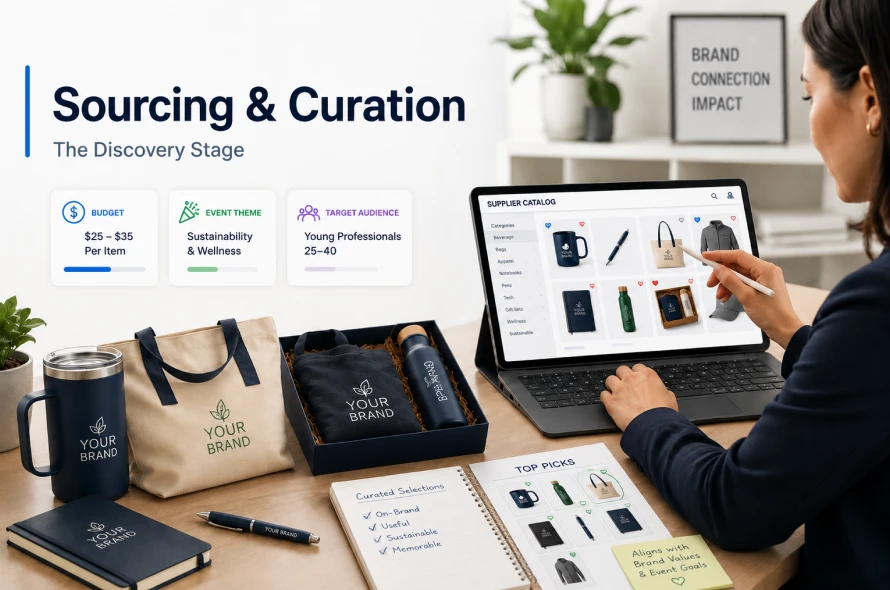
The process always begins when a client reaches out and says, “We have a corporate event next month and we need 500 premium items for our attendees.” As a Promotional Product distributor, you do not own the printing factories. Your first job is Product Sourcing and Merchandising by finding the right products from wholesale suppliers that match your client’s brand.
The Action Plan:
You need to analyze the client’s budget, event theme, and target audience to provide expert Product Curation. Instead of just sending random product links, you must curate a specific, thoughtful collection.
- The Tech-Driven Way: Established distributors use dedicated Order management software like CommonSKU or SAGE. These platforms feature a built-in Vendor Portal that connects directly to top suppliers, allowing you to check live inventory and wholesale pricing instantly.
- The Bootstrapped Way: Emerging distributors do this manually by browsing free digital supplier catalogs or logging directly into individual vendor websites to verify product data before logging it into their own Back-Office Workflow system.
Phase 2: Visuals & Quoting (The Pitch)
In the promo industry, clients buy with their eyes. They will rarely sign a contract or approve a budget based on a plain text description. They need to see their identity on the product, which is why creating Virtual Samples (or Virtual Mockups) is a non-negotiable step.
Creating the Visuals
You must request the client’s official vector Artwork file (usually an .EPS or .AI file).
- If you are running an automated, Centralized Workflow, your system can apply the logo onto the item digitally with one click.
- In a manual setup, you can use free tools like Canva to overlay the logo onto a blank product image.
Building the Estimate & Margin Analysis
Next, you calculate the total cost. This is where you perform a strict Margin Analysis. Your quote must factor in the wholesale item cost, decoration setup charges, shipping fees, and your own profit margin (typically 35% to 40%). You bundle the final price estimate with the mockup and send it directly to the client.
Phase 3: Order Locking & The Golden Cash Flow Rule
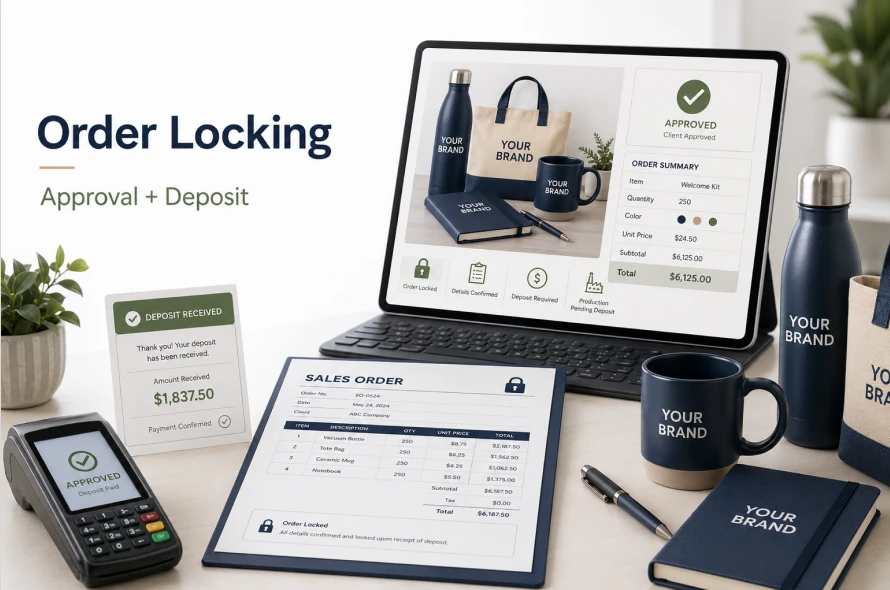
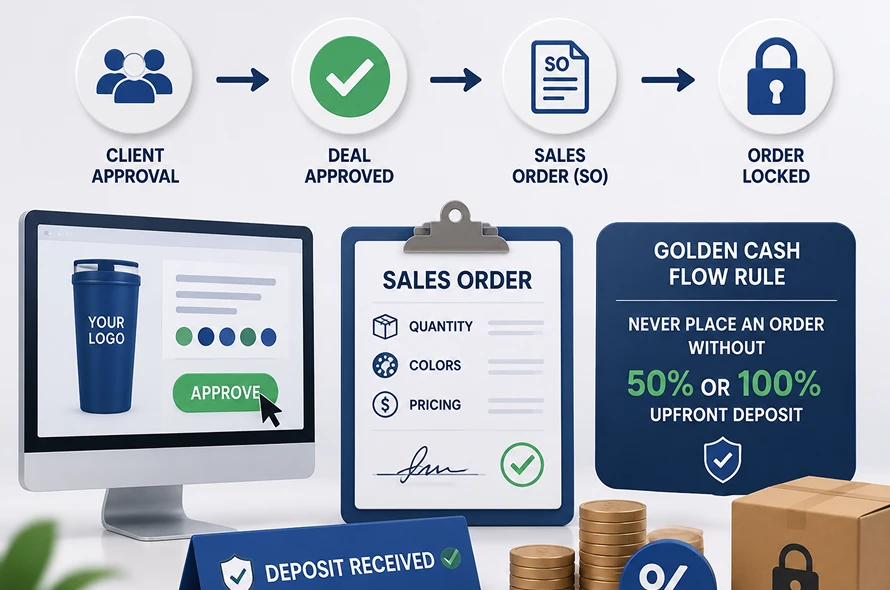
The client reviews your presentation, falls in love with the design, and clicks “Approve.” This transitions the deal to the next crucial stage of your Sales Pipeline.
The Sales Order and Deposit
Once the client gives the green light, you issue an Order Confirmation and generate a formal Sales Order (SO). This document locks in the exact quantities, colors, and pricing.
Because promotional products are completely customized and cannot be resold if a client backs out, your internal process must dictate a strict Invoicing & Billing protocol: never send an order to the factory without a 50% or 100% upfront deposit.
Phase 4: Purchase Order (PO) Processing (The Supplier Contract)
Now that you have the client’s deposit, you must officially order the raw goods and decoration services from your supplier. This is where Purchase Order (PO) Processing takes place.
Your PO is a legally binding contract with the factory. A single typo here can result in hundreds of ruined products.
What a Perfect PO Must Include:
- Exact Item Details: Factory item codes, color names, and complete sizing breakdowns.
- Clear Decoration Instructions: Imprint locations, dimensions, and exact color match codes.
- Shipping Protocol: The client’s exact shipping address and a mandatory requirement for “Blind Shipping” (shipping directly to the client but with your company’s name on the return label so your wholesale sources stay private).
Phase 5: The Artwork Proof & Production Pipeline
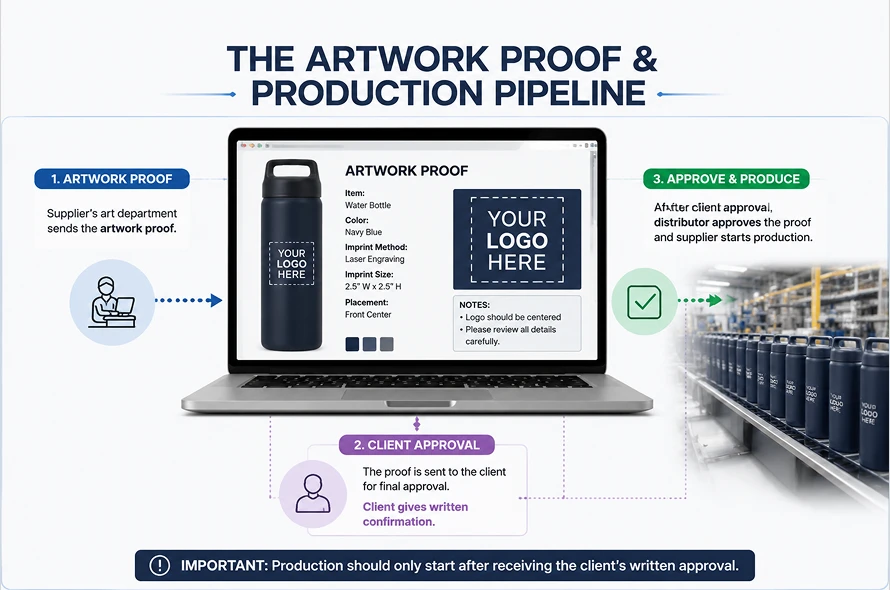
After receiving your PO, the supplier’s art department will send back a blueprint for Artwork Proofing / Proof Approval. This digital document shows exactly how and where the logo will be printed on the final physical product.
Managing the Approval Loop
Never approve this proof based on your own judgment! Always send it to the client for final Artwork Proofing / Proof Approval. Once they give written confirmation, you pass the green light to the factory, and the order enters the active production line.
Phase 6: Logistics, Final Invoicing, and Closing the Loop
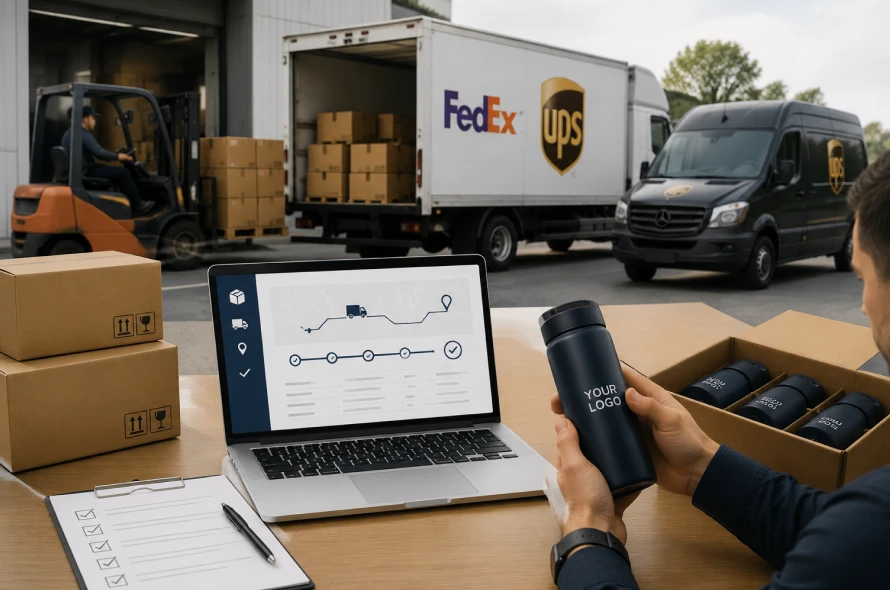
Once production is complete, the factory packs the boxes and hands them over to carriers like UPS or FedEx. This triggers the final phase: Fulfillment & Logistics.
Closing the Deal:
- Order Tracking: Grab the tracking numbers from the supplier, input them into your Order tracking dashboard, and keep your client notified.
- Delivery & Quality Check: The moment the boxes arrive, verify with your client that the print quality is perfect and the quantities are correct.
- Final Collection: Use your accounting tool to handle the final Invoicing & Billing for the remaining 50% balance. Once the cash lands in your bank account, mark the order as Completed.
FAQ:
What software is used for order management?
A common question naye distributors ka hota hai: What software is used for order management?
In the promotional products industry, the most popular dedicated tools are CommonSKU, SAGE, and ESP. These platforms act as an all-in-one CRM (Customer Relationship Management) and operational system. They keep a clean Threaded History of every client email, mockup approval, invoice, and purchase order inside a single screen so you don’t have to jump between 5 different apps.
What software is used for order management if I want to upgrade from Google Sheets?
If you feel your Manual workflow is becoming too overwhelming, the industry standards are CommonSKU, SAGE, and ESP. These function as a dedicated order management tool designed specifically for promotional product distributors. They combine your database, CRM, and invoicing into one Centralized Workflow.
How do I protect my profit margins during the Quote-to-Cash (Q2C) Workflow?
To prevent losing money, you must perform a strict Margin Analysis on every single project before sending the quote. Always factor in hidden costs like supplier setup fees, run charges, and freight/shipping estimates. Most successful distributors aim for a gross profit margin of 35% to 45% to keep their Distributor Operations healthy and profitable.
What should I do if a client delays their Artwork Proofing / Proof Approval?
A delay in Artwork Proofing / Proof Approval is the number one reason production timelines get missed. To manage company orders efficiently, always set a strict “Approval Deadline” in your initial client emails. Inform the client clearly that if the virtual proof is not signed off by a specific date and time, their factory production slot will be pushed back.
How can I keep a clean Threaded History of client changes without a paid CRM?
If you are not using an expensive Order management software, you can maintain a Threaded History by using dedicated project management tools like Trello, Notion, or a robust CRM (Customer Relationship Management) free tier like HubSpot. Alternatively, you can create a dedicated “Client Notes” column in your Order tracking Google Sheet and log every design change, color swap, and timeline adjustment with a timestamp.
What is the biggest risk in the promotional product distributor workflow?
The absolute biggest risk in the entire Order Lifecycle (or Order Cycle) is a typo during Purchase Order (PO) Processing. Because promo items are fully customized, factories will print exactly what is written on your PO. If you write the wrong item code, size matrix, or shipping address, you will be financially responsible for the ruined stock.
Final Words: Systemization is Your Key to Scale
Mastering the promotional product distributor workflow is the ultimate secret to building a highly profitable, scalable business. It doesn’t matter if you choose to invest in premium, all-in-one software suites or prefer to bootstrap your path using free, disconnected digital tools.
What truly matters is your commitment to a repeatable, organized structure. By protecting your cash flow with upfront deposits, double-checking your purchase orders, and keeping a crystal-clear visual dashboard of your production pipeline, you can easily transform your business from a chaotic daily hustle into a smooth, predictable, and highly professional corporate machine.