If you sell custom merch, decorated apparel, or promotional products to corporate accounts, a standard Shopify customer migration guide will actively hurt you.
Every generic tutorial on how to migrate customers to Shopify assumes a single-tier customer record: one name, one email, one billing address. That model works for a t-shirt brand selling direct to consumers.
It falls apart the moment you try to migrate your clients to Shopify when those clients are companies like a regional distributor buying for twelve store locations, each with different buyers, different tax statuses, and different negotiated price levels.
This guide skips the general advice. It walks through the exact technical process for Shopify customer migration in a B2B and promo-product context: how to preserve company-to-contact relationships, how to handle the password problem correctly, how to keep tax exemptions intact, and how to send account activation invites without burying your support desk.
If your goal is simply to migrate clients to Shopify without breaking a single company relationship, tax status, or pricing tier, the process below is the one to follow, not a generic retail import checklist.
You might be looking for:
How Much Does Shopify Migration Cost? (2026 Guide)
How to Choose a Shopify Migration Agency (2026 Guide)
Why Generic Shopify Customer Import Methods Break B2B Accounts
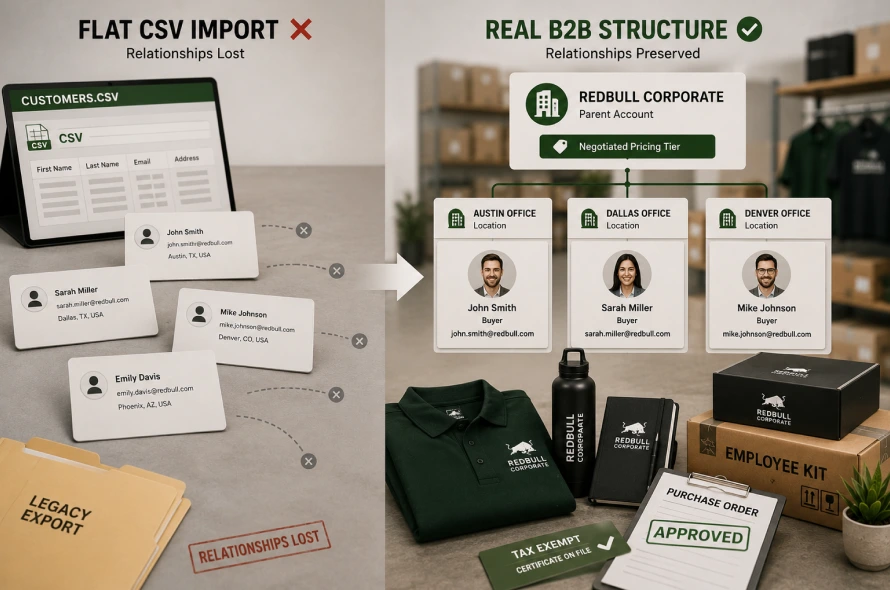
Legacy platforms like Magento and WooCommerce, along with most ERP-connected storefronts, store customer data in flat or loosely relational tables. When you migrate customer data to Shopify using the default CSV importer, you can only bring across first name, last name, email, and address fields.
There is no native way to express that “John at RedBull Marketing – Austin Office” reports up to a parent account called “RedBull Corporate,” and that both should share a single negotiated pricing tier.
Run this through the standard importer and you get thousands of orphaned, disconnected contact records. Your B2B sales team loses visibility into which buyers belong to which company. Purchase order approval limits disappear. This is the core reason automated, one-click migration scripts are dangerous for promotional product and custom merch distributors specifically: the tool doesn’t know your data has a hierarchy, so it flattens it.
Checkout:
Migrate WooCommerce Print Shop to Shopify with 5 Steps
Magento to Shopify Migration: A Guide for Print Shop Brands
Step 1: Map Your Company, Location, and Contact Hierarchy Before Exporting Anything
Before you migrate customer information to Shopify, build a simple three-tier map on a spreadsheet. This is the foundation step whenever you migrate your customer data to Shopify in a B2B context, since every downstream tag, price, and permission depends on getting this hierarchy right first:
- Company – the parent account (e.g., “RedBull North America”)
- Company Location – each regional office, warehouse, or store that orders independently
- Company Contact – the individual buyer tied to a specific location, often with their own PO approval threshold
Shopify’s B2B framework (available on Shopify Plus) supports this structure natively, but the standard admin CSV importer does not expose these relationship fields.
This is where Matrixify becomes essential. Matrixify lets you build separate, linked import sheets for Companies, Company Locations, and Company Contacts, using unique identifier columns to join them correctly.
You export your legacy company IDs, locations, and contact records into three corresponding sheets, map the parent-child ID relationships, and Matrixify handles the nested import that the native importer simply cannot process.
Skipping this step is the single most common reason a Shopify migration guide project ends with duplicated or unassigned B2B contacts.
Step 2: Solve the Password Problem With Passwordless Accounts, Not Reset Campaigns
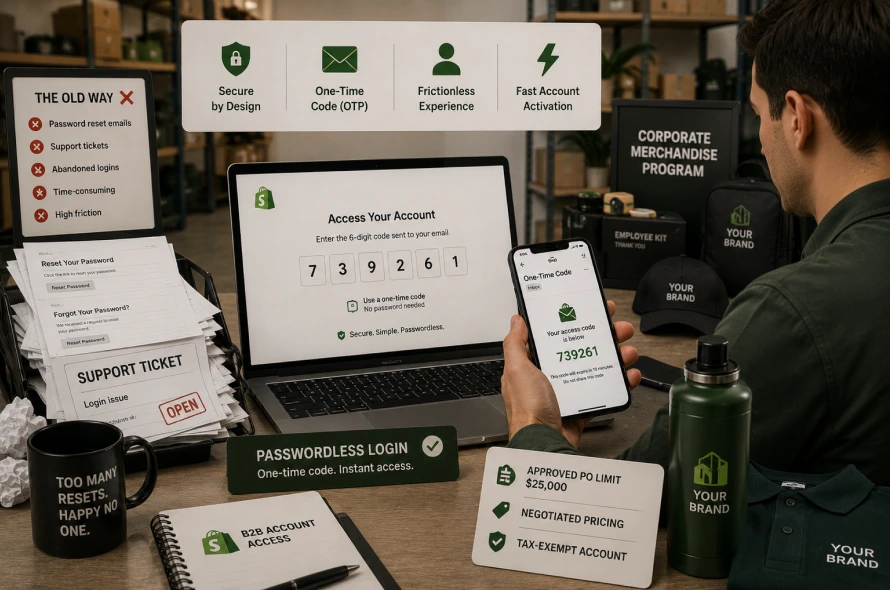
Every operations manager asks the same question at this stage: how do I migrate my customers to Shopify without forcing corporate buyers through a password reset?
The honest answer is that you can’t bring passwords over. Legacy platforms hash and salt passwords using methods Shopify cannot reverse or import, for good security reasons.
The fix isn’t a mass password-reset email blast, which historically caused support tickets and abandoned logins.
Instead, activate Shopify’s New Customer Accounts experience. It replaces passwords entirely with a one-time passcode (OTP) sent to the buyer’s email at login.
There is no password to set, forget, or reset. For a corporate buyer with a pre-approved PO limit, this means their first login post-migration is a single email code, not a multi-step account recovery flow. This alone removes the majority of activation friction for B2B accounts.
Step 3: Roll Out Account Invites in Controlled Waves
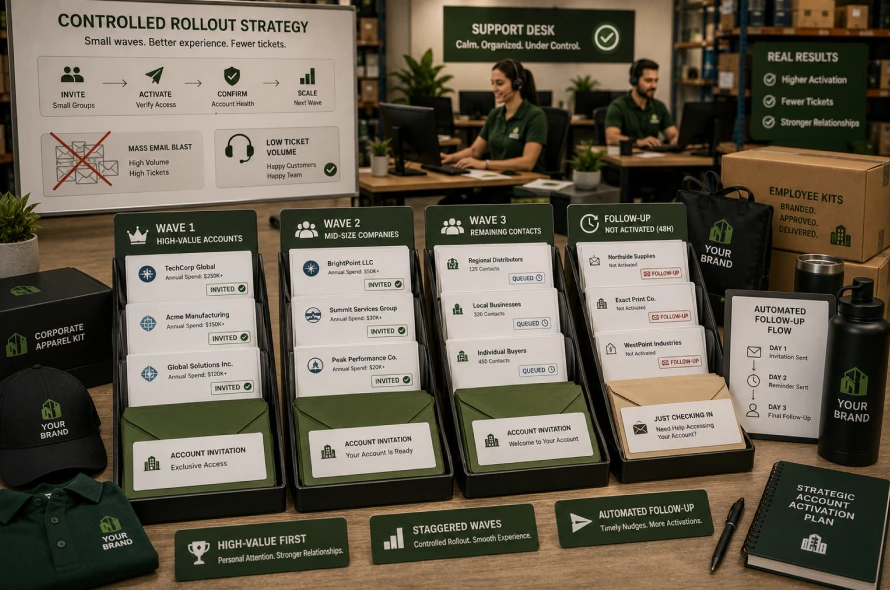
Sending every migrated contact an activation email on day one guarantees your support desk gets flooded at the same time. Instead, queue invitations using a tool like BAIS (Bulk Account Invite Sender) or Klaviyo, mapping each contact’s unique Shopify account-activation URL into a branded, staggered email sequence.
Segment the send by company size or order volume: high-value accounts first, in small batches, so your team can personally confirm each activation lands correctly before scaling to the full list. Klaviyo also allows you to build a short automated follow-up flow for contacts who haven’t activated within 48 hours, which further reduces manual chasing.
Step 4: Preserve Tax Exemptions and Negotiated Pricing Tags
This is where most Shopify customer migration projects quietly break pricing after launch. Promotional product buyers frequently hold reseller certificates or wholesale tax-exempt status, and many have negotiated pricing tiers tied to customer tags.
A flat CSV import strips this metadata because there is nowhere for it to live in a basic customer record.
To migrate this correctly:
- Export each customer’s tax-exemption ID, certificate type, and expiration data from the legacy system
- Map these into Shopify’s native B2B tax-exemption fields at the Company or Location level, or integrate an app like Exemptify to manage certificate validation ongoing
- Recreate your wholesale and negotiated-price tiers as customer tags, then connect those tags to the correct Shopify price lists before the storefront goes live
Test a handful of tax-exempt accounts in a staging checkout before cutover.
A missed exemption tag means a corporate buyer gets charged sales tax they’re legally exempt from, which creates real accounting cleanup work after launch.
Step 5: Migrate Portal and Team Store Access Tags Carefully
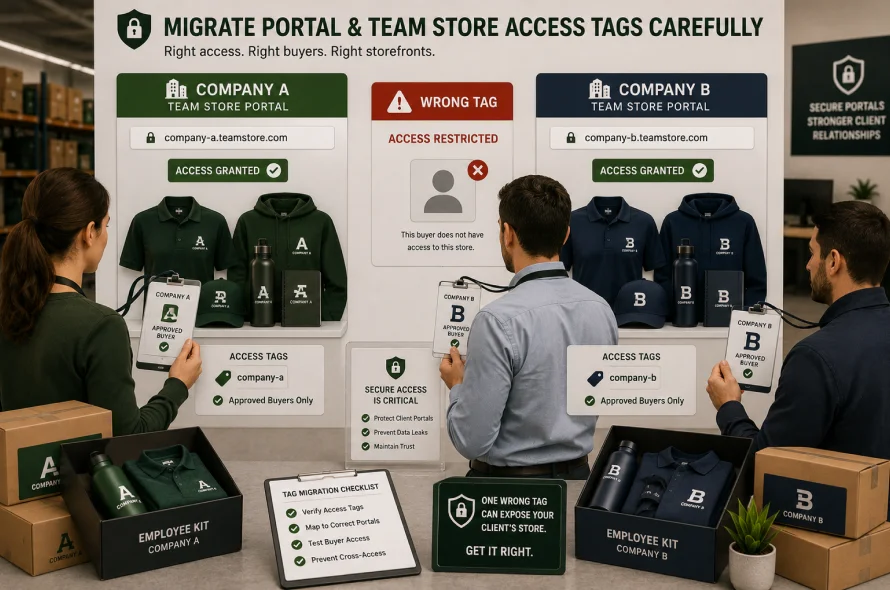
Many custom merch distributors run gated team stores or corporate portals, restricted to specific client tags so that only approved buyers from a given company can see and order their branded apparel catalog.
When you import customers to Shopify, these access-control tags need to transfer exactly, with no cross-contamination between clients.
A single misapplied tag can expose one company’s private branded storefront to another company’s buyers, which is a serious account-security failure in B2B commerce.
Common Mistakes That Decouple B2B Customer Data During Migration
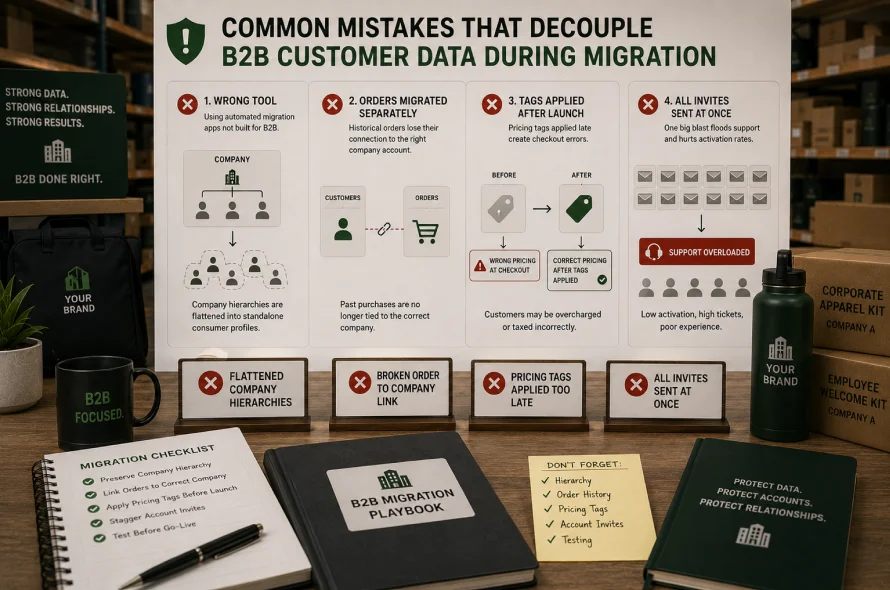
- Running automated migration apps not built for B2B, which flatten company hierarchies into standalone consumer profiles
- Migrating historical order history separately from customer records, breaking the link between past purchases and the correct company account
- Applying pricing tags after launch instead of before, causing a window where checkout math is wrong
- Sending all activation invites in one blast instead of staged waves
Frequently Asked Questions
How do I migrate my customers to Shopify without losing company relationships? Use a structured tool like Matrixify to import Companies, Company Locations, and Company Contacts as linked records, rather than the default flat CSV importer.
How to migrate customers to Shopify if I don’t have their passwords? You don’t need them. Enable Shopify’s New Customer Accounts for passwordless, OTP-based login instead of trying to recreate legacy passwords.
What’s the safest way to do Shopify customer import for tax-exempt B2B buyers? Map exemption certificates to Shopify’s native B2B tax fields or an app like Exemptify, and verify exemption status in a staging checkout before launch.
How to import customers to Shopify without flattening company hierarchies? Skip the default CSV importer for B2B accounts. Use Matrixify’s linked Company, Location, and Contact sheets so the parent-child relationships between a corporate account and its buyers stay intact after import.
Why Manual Migration Beats Automated Scripts for Promo and Custom Merch Brands
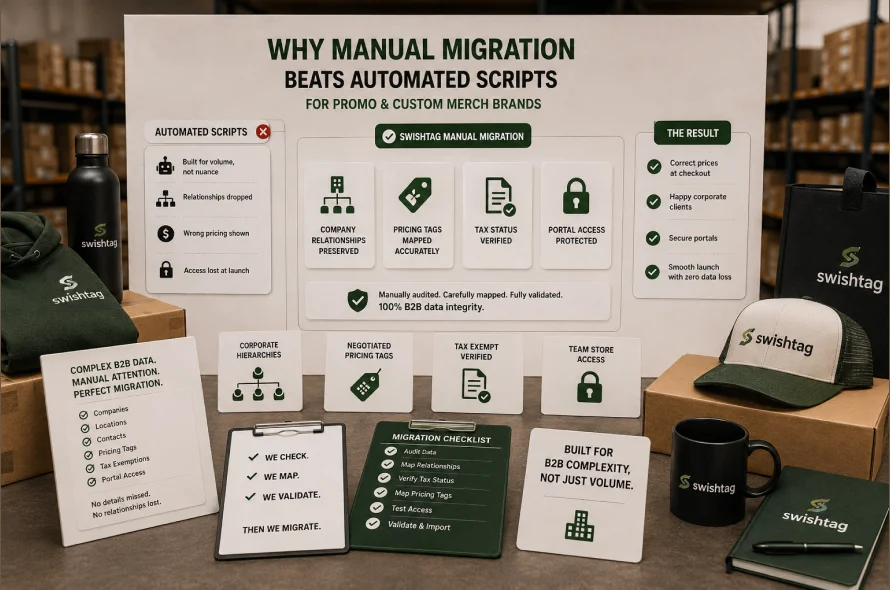
Automated tools are built for volume, not nuance. They don’t know that “Amazon Ops – Seattle” and “Amazon Ops – Nashville” are the same parent account, and they don’t know which buyer’s pricing tag is contractually negotiated versus default retail. A single dropped relationship or mistagged account can mean a corporate client sees the wrong price, loses portal access, or gets locked out entirely at launch.
Swishtag specializes exactly here: manually auditing, mapping, and validating every company, contact, tax status, and pricing tag before it goes live on native Shopify, so promotional product distributors and custom merch decorators migrate without a single byte of B2B data lost.
If you’re planning a Shopify customer migration and want it handled by a Shopify migration expert team that understands promo-industry data structures rather than treating your clients as generic retail shoppers, see how Swishtag’s Shopify migration service works.